
A data breach doesn’t just cost money to fix, it costs the trust that took years to build. For businesses running mobile apps, security isn’t a back-office technical concern anymore; it’s a direct line to customer trust, regulatory exposure, and brand reputation. One exposed API endpoint or unencrypted data store can turn into a headline, a regulatory fine, and a wave of app uninstalls within days.
This guide walks through the real threats mobile apps face today and the security practices businesses should treat as non-negotiable, not optional add-ons for “later.”
Why Mobile App Security Is a Business Risk, Not Just an IT Problem
It’s tempting to file security under “engineering details,” but the numbers tell a different story. A single breach can trigger regulatory penalties, lawsuits, and, often more damaging long-term, a permanent drop in user trust that no marketing campaign fully repairs. For businesses building on custom mobile app development, security decisions made at the architecture stage determine how exposed the business is years down the line, long after the original developers have moved on.
Security also isn’t separate from quality. A vulnerability is, functionally, a bug, one that happens to be exploitable rather than just annoying. That’s why mobile app security should sit alongside the practices covered in our guide to mobile app testing types and best practices, not as an afterthought once testing wraps up.
Common Mobile App Security Threats Businesses Face
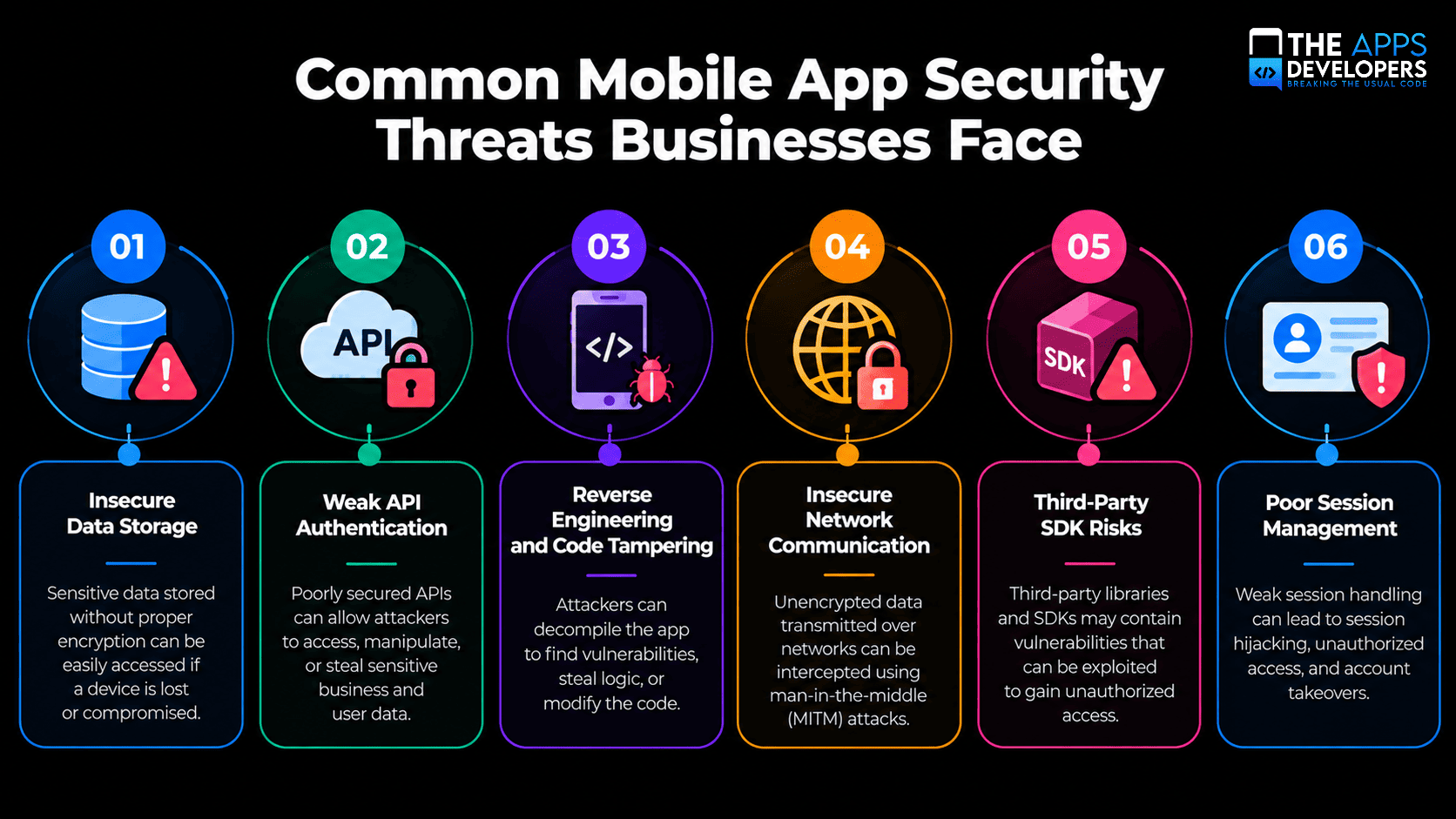
Insecure Data Storage
Apps that store sensitive data, passwords, tokens, personal information, in plain text on the device are an easy target if a phone is lost, stolen, or compromised by malware.
Weak API Authentication
Mobile apps constantly talk to backend servers, and a poorly secured API is often the fastest way in for an attacker. This is consistently ranked among the top risk categories in the OWASP Mobile Top 10, the industry’s most referenced classification of mobile security risks.
Reverse Engineering and Code Tampering
Attackers can decompile an app’s code to extract hardcoded API keys, understand business logic, or inject malicious modifications before redistributing a tampered version.
Insecure Network Communication
Data transmitted without proper encryption can be intercepted through man-in-the-middle attacks, especially on public Wi-Fi networks that users connect to without a second thought.
Third-Party SDK Risks
Every third-party library or SDK integrated into an app expands the attack surface. A vulnerability in a single ad network or analytics SDK can compromise the entire app.
Poor Session Management
Sessions that never expire, or tokens that aren’t properly invalidated after logout, give attackers a longer window to exploit a compromised account.
Mobile App Security Best Practices
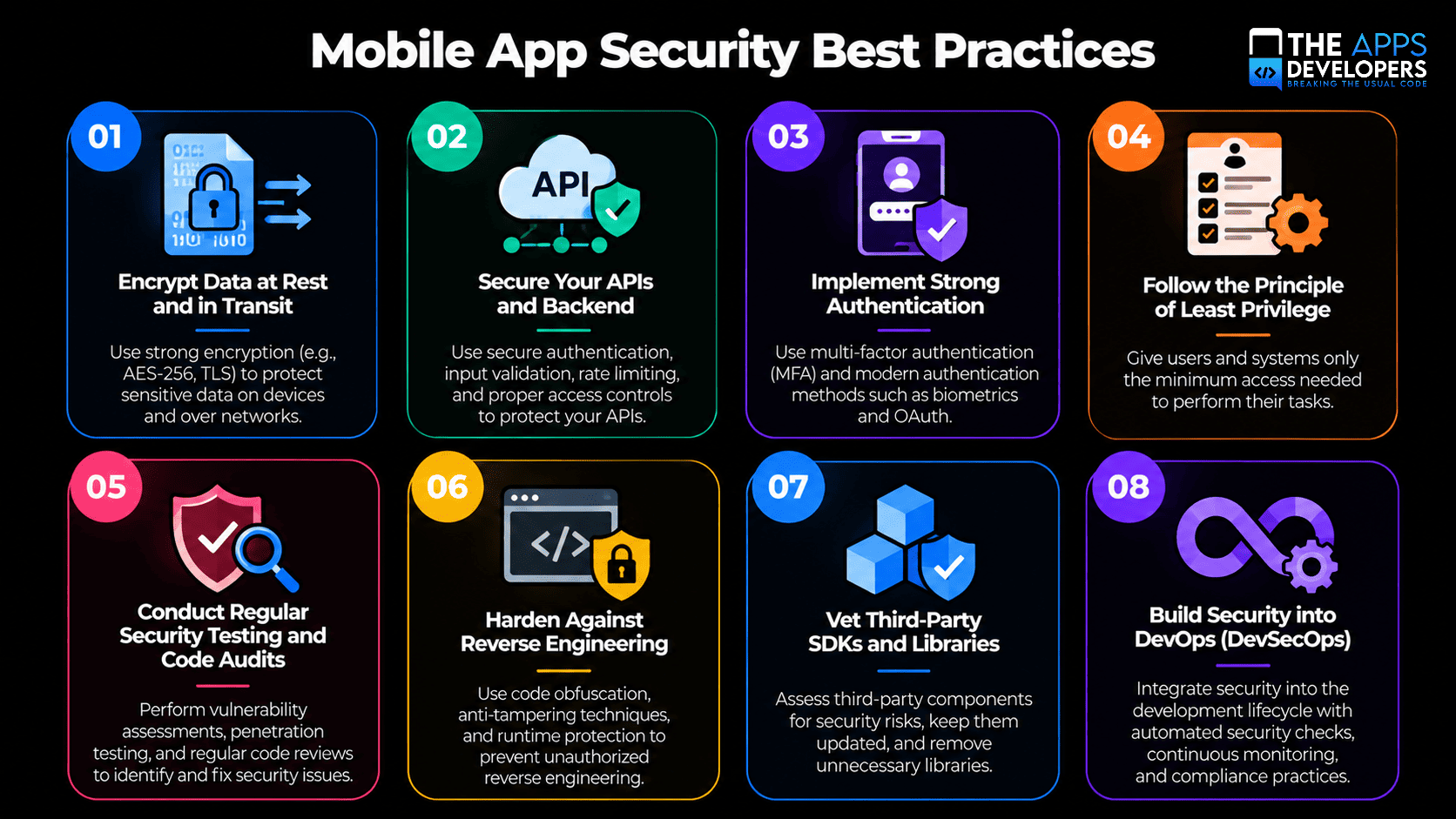
1. Encrypt Data at Rest and in Transit
Sensitive data should be encrypted both while stored on the device and while moving between the app and your servers. TLS for network traffic and strong encryption standards for local storage are the baseline, not the ceiling.
2. Secure Your APIs and Backend
Since most mobile attacks target the connection between app and server, API security deserves dedicated attention, proper authentication, rate limiting, and input validation. This is a core part of how we approach API and backend development, where security is designed in rather than patched on afterward.
3. Implement Strong Authentication
Multi-factor authentication, OAuth 2.0, and biometric options like Face ID or fingerprint login significantly reduce the risk of account takeover compared to password-only access.
4. Follow the Principle of Least Privilege
Apps should request only the permissions and data access they genuinely need. Every unnecessary permission is an unnecessary risk, and users increasingly notice, and abandon apps that overreach.
5. Conduct Regular Security Testing and Code Audits
Penetration testing, static code analysis, and dependency scanning should happen on a recurring schedule, not just once before launch. Security postures degrade over time as new vulnerabilities are discovered in dependencies you didn’t write.
6. Harden Against Reverse Engineering
Code obfuscation, root and jailbreak detection, and removing hardcoded secrets from the client-side code all raise the cost of tampering high enough to deter most attackers.
7. Vet Third-Party SDKs and Libraries
Before integrating any external SDK, review its permissions, update frequency, and known vulnerability history. Fewer, well-maintained dependencies are safer than a long list of convenience libraries.
8. Build Security into DevOps (DevSecOps)
Automated security scanning integrated directly into your CI/CD pipeline catches vulnerabilities before they reach production, rather than after. This is where mature DevOps and cloud infrastructure pays for itself, security checks become part of every deployment, not a manual step someone has to remember.
Compliance Considerations Businesses Can’t Ignore
Depending on your industry and user base, security requirements often come with legal weight attached. Healthcare apps handling patient data need to align with HIPAA. Apps serving European users fall under GDPR, which mandates specific data protection and breach notification standards. Apps processing payments need to meet PCI DSS requirements set by the PCI Security Standards Council. Treating compliance as a checklist item after launch is a common and costly mistake, these requirements shape architecture decisions from day one.
How Security Failures Impact Business Metrics and Trust
The cost of a security incident rarely stays contained to the technical fix. Businesses face app store removal risk, regulatory fines, legal exposure, and a measurable drop in user retention once trust is broken. Recovering a damaged reputation after a public breach typically takes far longer, and costs far more, than the security investment that would have prevented it in the first place.
Native vs. Cross-Platform Security Considerations
The framework behind your app affects your security surface. Native apps benefit from platform-level security features built directly into iOS and Android, but require separate security reviews for each. Cross-platform frameworks share a codebase, which can streamline audits, but a shared vulnerability can affect both platforms simultaneously. We cover these architectural trade-offs in more depth in our guide to native, hybrid, and cross-platform apps, which is worth reviewing alongside your security strategy, not separately from it.
How The Apps Developers Approaches Mobile App Security
We treat security as a design requirement, not a post-launch patch. From encrypted data handling to hardened API architecture and continuous vulnerability scanning within our development pipeline, security decisions get made at the same table as feature decisions. You can see this approach reflected across our portfolio of shipped products.
Conclusion
Mobile app security isn’t a single feature you add before launch, it’s a set of decisions made continuously, from architecture through every future update. Businesses that treat it that way protect not just their data, but the trust users place in them every time they open the app.
If you’re planning a new app or want a security review of one already in production, our team can help you close the gaps before they become incidents. Get in touch to talk through your security needs.
Frequently Asked Questions
What is the most common mobile app security vulnerability?
Insecure data storage and weak API authentication consistently rank among the most common vulnerabilities, according to the OWASP Mobile Top 10, often because sensitive data is stored or transmitted without adequate protection.
How often should a mobile app be security tested?
Security testing should happen continuously, not just before launch, ideally integrated into every release cycle through automated scanning, with periodic manual penetration testing for deeper review.
Does a small business app really need enterprise-level security?
Not the full enterprise stack, but the fundamentals apply regardless of company size: encrypted data, secure APIs, and strong authentication. Attackers often target smaller businesses precisely because their defenses are weaker.
What's the difference between app security and data privacy compliance?
Security is the technical practice of protecting systems and data from unauthorized access. Compliance (GDPR, HIPAA, PCI DSS) is the legal framework defining how that data must be handled. Strong security supports compliance, but they aren’t the same thing.
Can a secure app still get hacked?
Yes, no system is completely immune. The goal of mobile app security isn’t eliminating all risk, it’s making an attack significantly harder, slower, and less rewarding than it’s worth, while ensuring rapid detection and response if something does get through.