
The top employee monitoring tools in 2026 are ActivTrak, Teramind, Hubstaff, Time Doctor, Insightful, DeskTime, Controlio, Veriato, Kickidler, and Clockify. If you want productivity insights, look at ActivTrak or Insightful. If security is the worry, Teramind and Veriato are built for it. Hubstaff is the go-to for field crews, and Clockify is the easy, low-cost pick when all you really need is accurate timesheets.
Here’s a scene we’ve watched play out more than once. A company announces a new employee tracker on a Monday morning. By lunch, the team chat has gone quiet in that way everyone notices. People start wondering who’s looking at their screen, whether a bathroom break counts against them, and what exactly management thinks they’ve been doing all this time.
None of that is inevitable. Used well, employee monitoring can make payroll accurate, protect client data, and show managers who’s drowning in work before they quit. Used badly, it wrecks trust in a week. This overview compares the ten tools we see most often, walks through the legal side, and shares what we’ve learned helping clients build workforce dashboards through our web application development work.
What Is an Employee Monitoring System?
An employee monitoring system is software that records how work time and company resources get used, things like hours worked, apps and sites visited, productivity trends, data access, and, for field staff, location during the workday.
That’s a wide umbrella, honestly. A simple timesheet app and a full worker monitoring platform with screen recording both fall under it, even though they feel completely different to the people being tracked. Some tools exist mainly for payroll. Others are about spotting workload problems. A few are really security products wearing a productivity label. Figure out which one you actually need before you look at a single demo.
Types of Employee Tracking Software
| Type | What It Tracks | Who It Suits |
| Time tracking | Hours, tasks, projects, billable time | Agencies, freelancers, hourly teams |
| Employee activity monitoring | Apps, websites, active vs idle time | Remote and hybrid office teams |
| Productivity analytics | Trends, workload balance, focus time | Managers trying to fix bottlenecks |
| Insider threat and data loss prevention | File transfers, risky behavior | Finance, healthcare, regulated work |
| Worker tracking (GPS) | Location and routes during shifts | Field service, delivery, construction |
| Attendance tracking | Log-ins, shifts, breaks | Shift-based and hourly workforces |
What a Good Employee Tracker Should Do
Most tools cover the basics: automatic time tracking, app and website activity, idle detection, and reports that roll up by team or person. Where they really differ is in the extras. Some add screenshots or full screen recording (useful in a few cases, divisive in most). Some offer data loss prevention and alerts. Field-focused tools add GPS and geofencing through a mobile app.
The features people overlook are the privacy ones, and they’re the ones that decide whether your rollout goes smoothly. Can employees see their own data? Can you blur screenshots or switch them off? Does tracking stop automatically after hours? Can you limit who sees what? If a vendor can’t answer those quickly, keep looking.
Top 10 Employee Monitoring Tools Compared
Prices and features change constantly, so treat this as a starting shortlist and check each vendor’s current plans.
| Tool | Best For | How Deep It Goes | Remote and Field Teams | Free Option |
| ActivTrak | Productivity analytics | Moderate | Remote and hybrid | Free plan |
| Teramind | Insider threat and data loss prevention | Deep | Office and remote | Free trial |
| Hubstaff | Time tracking plus GPS | Moderate | Strong for field workers | Free plan |
| Time Doctor | Billable time and productivity reports | Moderate | Remote teams | Free trial |
| Insightful | Workforce analytics | Moderate | Remote and hybrid | Free trial |
| DeskTime | Simple automatic tracking | Light to moderate | Remote and office | Free plan |
| Controlio | Real-time activity monitoring | Deep | Remote teams | Free trial |
| Veriato | Insider risk analytics | Deep | Office and remote | Demo |
| Kickidler | Live screen viewing | Deep | Office and remote | Free trial |
| Clockify | Lightweight time tracking | Light | Any team | Free plan |
1. ActivTrak
ActivTrak leans toward analytics rather than surveillance, and it markets itself as a privacy-conscious option. You get a clear view of how teams split time across apps and sites, where workloads are lopsided, and who might be heading toward burnout. If your goal is better management, not tighter control, this is usually where we’d start.
Best for: managers who want insight without making people feel watched.
2. Teramind
Teramind sits at the other end of the spectrum. It goes deep, with session recording, data loss prevention, and insider threat rules. In a bank or a healthcare company handling sensitive records, that depth earns its keep. Just don’t roll it out quietly. Tools this detailed need a very clear policy and plenty of explanation.
Best for: finance, healthcare, and anyone with strict data protection obligations.
3. Hubstaff
Hubstaff blends time tracking, timesheets, and payroll with GPS and geofencing in its mobile app. That combination makes it one of the most common worker tracking choices for crews who spend the day on job sites instead of at desks.
Best for: field service, construction, and remote teams billing by the hour.
4. Time Doctor
Time Doctor tracks time against tasks and projects, then layers on productivity reports, distraction alerts, and payroll. Remote teams and outsourcing firms like it because it gives clients a clean record of billable work.
Best for: agencies and remote teams that live and die by billable hours.
5. Insightful
Insightful (you might remember it as Workpuls) combines employee activity monitoring with productivity analytics. Managers can see time use, project costs, and team trends in one dashboard, which saves a lot of spreadsheet wrangling.
Best for: growing companies that want analytics and time tracking under one roof.
6. DeskTime
DeskTime keeps things simple. It tracks time automatically and sorts apps and sites into productive and unproductive buckets. Nothing fancy, and that’s the point. Small teams can have it running in an afternoon.
Best for: small and mid-size teams that want tracking without a big rollout.
7. Controlio
Controlio gives managers real-time visibility into activity, websites, apps, and screens across a remote team. It’s useful when you genuinely need closer oversight, but it only works well when people know exactly what’s being watched.
Best for: remote teams that need near real-time visibility.
8. Veriato
Veriato is really a security product. It uses behavior analytics to flag unusual activity that might point to data theft or an insider threat. Don’t buy it to measure productivity. Buy it if a leak would be a serious problem for your business.
Best for: security teams watching for insider risk.
9. Kickidler
Kickidler offers live screen viewing, activity tracking, and productivity reports. It’s powerful. It’s also one of the most invasive options here, so if you go this route, be extra careful about transparency and legal notice.
Best for: organizations that truly need detailed, real-time oversight.
10. Clockify
Clockify doesn’t watch anyone’s screen. Employees log time against projects, and you get accurate timesheets, usually on a very generous free plan. Of all the tracking programs on this list, it’s the least likely to make your team uncomfortable.
Best for: budget-conscious teams that mainly need clean timesheets.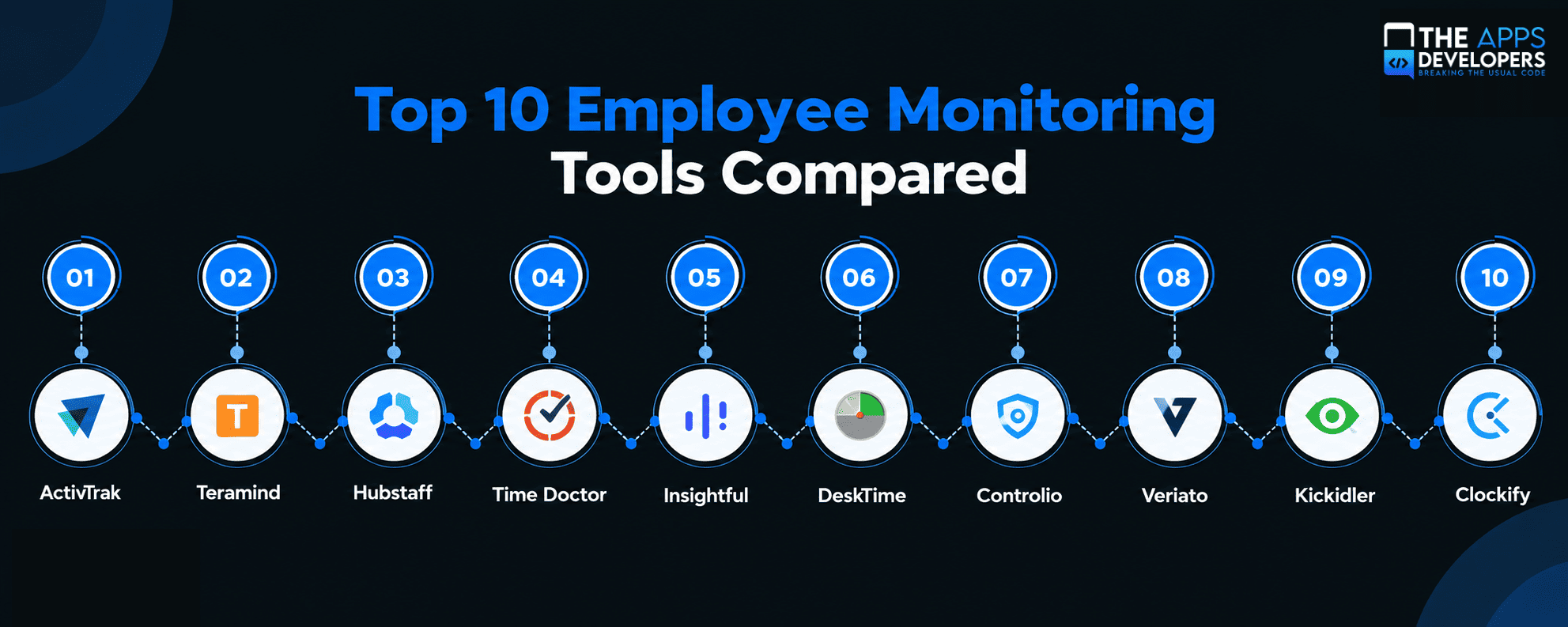
Smart Staff Monitoring: A Better Way to Do This
Smart staff monitoring means collecting only the data you need for a clear business reason, sharing what you collect with the people it’s about, and using it to fix workflows rather than to watch individuals.
We’d argue this is the single most important section in this guide. The old style of employee control, with constant screenshots and keystroke logging, tends to backfire. People feel distrusted, and they disengage. And engagement is already shaky. Gallup’s State of the Global Workplace research found that global employee engagement dropped to 21% in 2024. Heavy-handed monitoring won’t help that number.
So what does the smarter version look like in practice? Start with a purpose you could explain to your team in one sentence, like “we need accurate hours for client billing.” Tell everyone exactly what’s tracked and why. Give people access to their own data, so it becomes a tool for them too. Look at team-level trends before zooming in on anyone. Never track after hours or on personal accounts. And don’t keep data forever just because storage is cheap.
Is Employee Monitoring Legal?
In the US, monitoring company-owned devices and systems for legitimate business reasons is generally legal, but some states require written notice, and the rules are stricter in places like the EU and UK.
New York is a good example. Under Civil Rights Law Section 52-C, employers have to give written notice before electronic monitoring, and Connecticut and Delaware have their own notice rules. Recording calls, tracking location, and monitoring personal devices each come with extra wrinkles that vary from state to state.
Outside the US, expectations go up. The UK’s Information Commissioner’s Office lays out what’s expected in its guidance on monitoring workers: a clear purpose, real transparency, and monitoring that’s proportionate to the problem. The EU’s GDPR points in the same direction.
We’re developers, not lawyers, so please run your plan past an employment attorney in every location where your team works before you turn anything on.
Benefits and Risks, Honestly
On the plus side, the right tool makes payroll and client billing accurate, shows you where people are overloaded, protects sensitive data, and gives performance conversations something real to stand on instead of gut feel.
The downsides are just as real. Roll it out secretly and you’ll lose trust, probably for good. Skip a state’s notice rule and you’ve created legal exposure. Collect too much and you’re sitting on sensitive personal data you now have to protect. And the subtle one: when people know activity is being measured, some start optimizing for looking busy instead of doing good work. That’s the opposite of what you wanted.
How to Choose Employee Monitoring Software
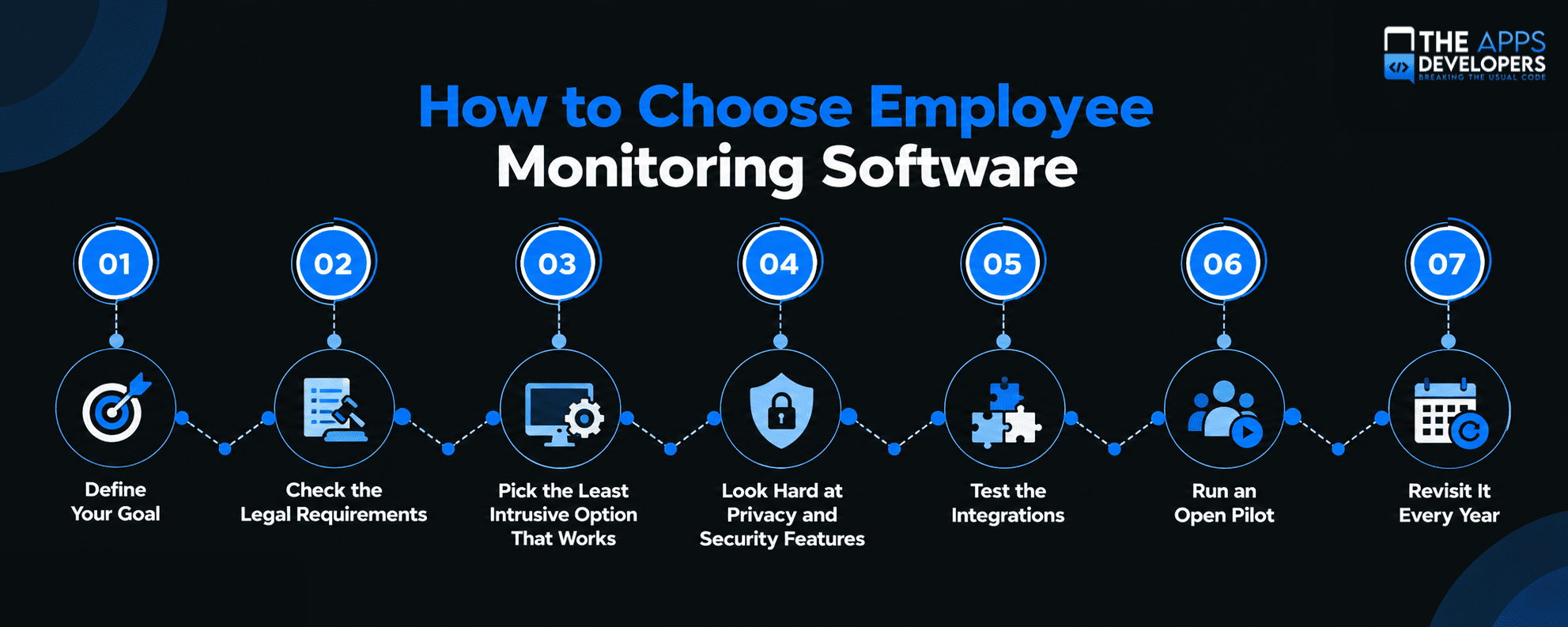
Step 1: Define Your Goal
Write down why you want to track employee activity in the first place: payroll accuracy, client billing, productivity insights, security, or field operations. That one sentence will rule out half the market.
Step 2: Check the Legal Requirements
Before tracking employee activity, confirm the notice, consent, and data protection rules for every state or country where your people work, and document the business purpose behind your choice.
Step 3: Pick the Least Intrusive Option That Works
If a time tracker solves the problem, don’t buy screen recording. You can always add depth later. Taking it away after people have noticed is much harder.
Step 4: Look Hard at Privacy and Security Features
Check for employee-facing dashboards, retention controls, role-based access, encryption, and the ability to blur or disable screenshots.
Step 5: Test the Integrations
Make sure the tool talks to your payroll, HR, project management, and sign-in systems. Otherwise, you’ve just created another silo someone has to reconcile by hand.
Step 6: Run an Open Pilot
Try it with one team first, explain the policy in plain language, ask for honest feedback, and adjust before rolling out company-wide.
Step 7: Revisit It Every Year
Check whether the tool is actually doing its job, and review what you track, who sees it, and how long you keep it.
Should You Build Your Own Employee Tracking System?
Most companies shouldn’t, at least not at first. An off-the-shelf employee tracking tool will cover the majority of needs. Building your own worker tracking system starts to make sense when tracking has to live inside an app you already run, like a field service or logistics platform, when your industry has compliance or data residency rules packaged tools don’t meet, when you want to sell employee monitoring SaaS to your own customers, or when you need analytics that blend workforce data with the rest of your business data.
For field teams, a custom mobile app development project can roll shift scheduling, job tracking, and GPS check-ins into one app that employees don’t hate opening.
If you’re planning to sell an employee monitoring SaaS product, our SaaS Product Development team can help design the platform, billing, and admin side.
You’ll also need to decide early how to keep each customer’s workforce data apart. Our comparison of multi-tenant vs single-tenant SaaS walks through the trade-offs.
Leadership usually wants all of this in one view. A Power BI developer can pull workforce, project, and financial data into dashboards people actually read.
And because monitoring data is sensitive by nature, the admin side needs serious protection. Our guide to web app session management covers how to lock down dashboards and admin accounts.
Running distributed teams across time zones brings its own visibility questions. Our take on offshore vs local app developers gets into how to keep remote collaboration transparent.
Conclusion
The best employee monitoring tool is usually the least intrusive one that actually solves your problem. Clockify and DeskTime handle timesheets, ActivTrak and Insightful help managers balance workloads, Teramind and Veriato protect sensitive data, and Hubstaff keeps field teams organized. Whichever you pick, follow the law, be upfront with your people, and use the data to help them do better work. That last part is what makes the difference.
Need employee tracking built into your own platform, or thinking about launching an employee monitoring SaaS? Book a free consultation with The Apps Developers, and we’ll help you design something secure, useful, and fair to the people using it.
Frequently Asked Questions
What is the best employee monitoring software?
It depends on your goal. For productivity insights, ActivTrak and Insightful are strong. For security, look at Teramind or Veriato. Hubstaff suits field teams, and Clockify is great for simple, low-cost timesheets.
What is an employee monitoring system?
It’s software that records how work time and company resources are used, such as hours, apps and websites, productivity trends, data access, and sometimes location, to help with payroll, productivity, and security.
Is employee monitoring legal in the US?
Generally yes, on company-owned devices and systems for legitimate business reasons. Some states, including New York, Connecticut, and Delaware, require employers to give notice of electronic monitoring first.
What is smart staff monitoring?
It’s a privacy-first approach to employee monitoring. You track only what you need for a clear purpose, share the data openly with employees, and use it to fix workflows rather than watch individuals.
How can I track employees working in the field?
Use worker tracking software with GPS and geofencing, like Hubstaff, or build a custom field app that combines jobs, shift check-ins, and location during work hours only.
Do employees know they are being monitored?
They should, and in some places the law requires it. Explain what’s tracked, why, and how the data is used, and let employees see their own information.
Can employee monitoring software track personal devices?
It can be risky and is often restricted. Most companies keep monitoring company-owned devices and work accounts, because tracking personal devices raises real privacy and legal problems.
Should I build custom employee tracking software?
Build custom only when tracking has to fit inside your own operations app, meet unusual compliance rules, or become a product you sell. Otherwise, start with an existing tool.