
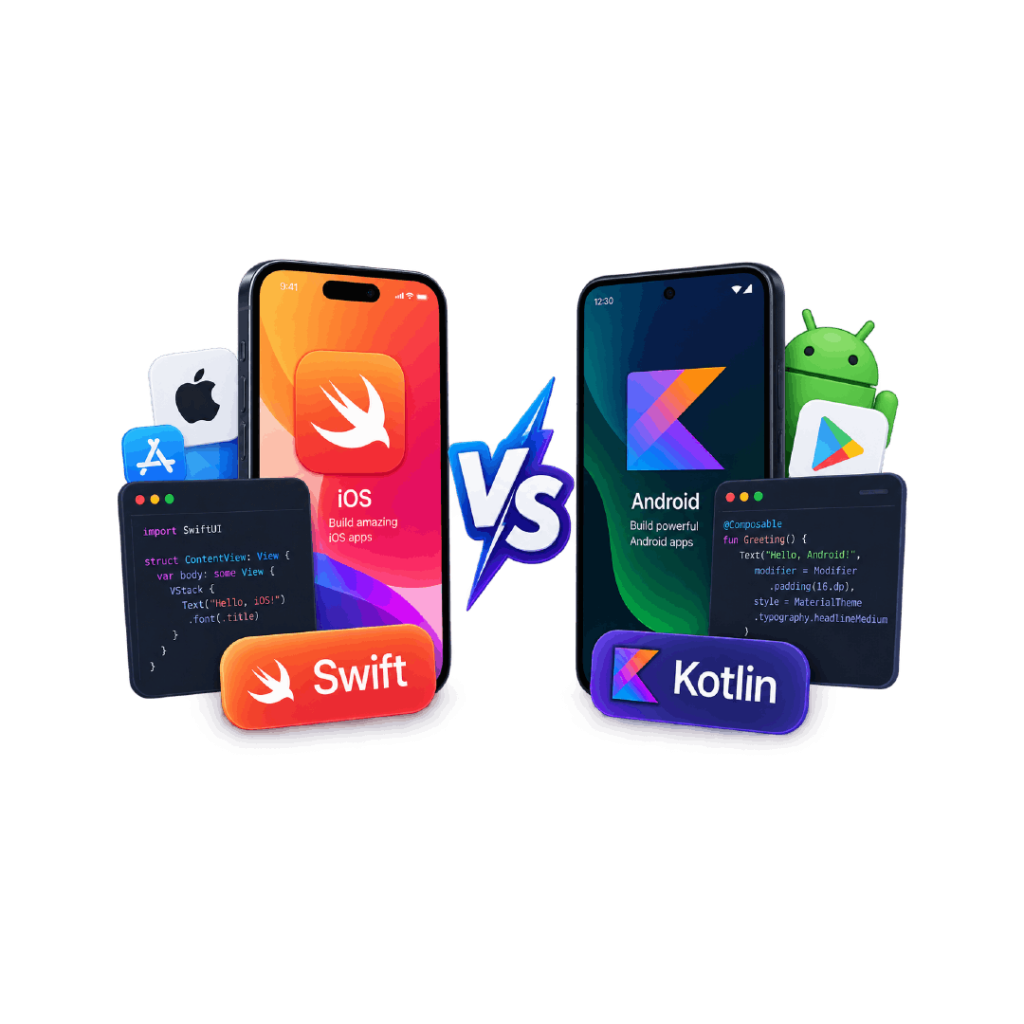
Choosing the right programming language is one of the first decisions businesses make when planning a native mobile application. For companies building apps for Apple and Android users, two names appear most often: Swift and Kotlin.
Swift is Apple’s preferred language for building applications across the iOS ecosystem, while Kotlin is Google’s recommended language for modern Android development. Both languages are designed to create fast, secure, and scalable applications, but they serve different platforms and development needs.
The choice between Swift and Kotlin is not about finding a universally better language. It depends on where your users are, what features your application requires, how much platform-specific functionality you need, and your long-term product goals.
In this guide, we will compare Swift vs Kotlin for mobile development, including their differences, performance, development environment, cost considerations, and when each language is the right choice.
What Is Swift?
Swift is a programming language created by Apple for developing applications across its ecosystem, including iPhone, iPad, Apple Watch, Apple TV, and macOS devices.
Introduced in 2014, Swift was designed to replace Objective-C and provide developers with a more modern, safer, and easier-to-maintain language for Apple platforms. It works closely with Apple’s development tools and frameworks, allowing developers to build applications that take full advantage of iOS features.
Swift is commonly used with Apple’s development environment, Xcode, and frameworks such as SwiftUI and UIKit to create native iOS applications.
Businesses choosing Swift usually do so when they need:
- High-performance iOS applications
- Deep integration with Apple devices
- Access to Apple-specific features
- A fully native user experience
For example, apps that rely heavily on iPhone hardware features, Apple services, or advanced animations often benefit from native iOS development using Swift.
What Is Kotlin?
Kotlin is a modern programming language primarily used for Android application development. It was created by JetBrains and is officially supported by Google for Android development.
Kotlin was designed to improve upon Java by offering cleaner syntax, improved safety features, and modern programming capabilities while remaining compatible with existing Java code.
Today, Kotlin is widely used for building Android applications with tools such as Android Studio, Android SDK, and Jetpack libraries.
Businesses often choose Kotlin when they need:
- Native Android applications
- Strong performance on Android devices
- Modern Android development practices
- Integration with Google’s ecosystem
Kotlin is especially useful for applications that require deep Android functionality, device integrations, or long-term maintenance within the Android ecosystem.
Swift vs Kotlin: Quick Comparison
Factor | Swift | Kotlin |
Developed By | Apple | JetBrains and Google |
Primary Platform | iOS, iPadOS, macOS | Android |
Main Development Tool | Xcode | Android Studio |
UI Framework | SwiftUI, UIKit | Jetpack Compose |
Programming Approach | Native iOS development | Native Android development |
Performance | High | High |
Best For | Apple ecosystem applications | Android ecosystem applications |
Swift and Kotlin are both optimized for their respective platforms. The better choice depends mainly on whether your application targets Apple users, Android users, or both.
Swift vs Kotlin: Key Differences
Platform Support
The biggest difference between Swift and Kotlin is the ecosystem they are built for.
Swift is designed specifically for Apple’s platforms. It provides direct access to iOS frameworks, Apple hardware capabilities, and platform-specific features. Developers using Swift can build applications that closely follow Apple’s design standards and user expectations.
Kotlin is primarily focused on Android development. It works closely with Google’s Android tools and provides access to Android-specific features, device capabilities, and system integrations.
For businesses, this means the platform choice usually comes before the language choice. If the goal is an iPhone application, Swift is the natural option. If the goal is an Android application, Kotlin is the standard choice.
Performance Comparison
Both Swift and Kotlin can deliver strong performance because they are used for native mobile development.
Swift applications are compiled specifically for Apple devices, allowing developers to optimize performance across iPhone and iPad hardware.
Kotlin applications run efficiently within the Android ecosystem and can take advantage of Android’s modern development tools and optimization techniques.
In practical terms, the performance difference is usually determined more by:
- Application architecture
- Code quality
- Backend performance
- Database design
- Feature complexity
rather than the language itself.
For applications requiring maximum platform optimization, native development with Swift or Kotlin provides more control compared to non-native approaches.
Development Environment
The tools developers use also influence the development experience.
Swift Development
Swift development mainly uses:
- Xcode
- SwiftUI
- UIKit
- Apple SDKs
Xcode provides tools for designing interfaces, testing applications, debugging code, and preparing apps for the Apple App Store.
Kotlin Development
Kotlin development commonly uses:
- Android Studio
- Android SDK
- Jetpack libraries
- Jetpack Compose
Android Studio provides tools for building, testing, and optimizing Android applications across different devices.
Both ecosystems provide mature development environments, but they are designed around their respective platforms.
Syntax and Learning Curve
Swift and Kotlin were both designed to make mobile application development easier compared to older programming languages. They provide modern syntax, better safety features, and tools that help developers write cleaner and more maintainable code.
Swift
Swift has a simple and readable syntax designed specifically for Apple platforms. It removes many complexities found in older languages like Objective-C, making it easier for developers to build and maintain iOS applications.
Features such as type safety, automatic memory management, and clear syntax help reduce common programming errors and improve application reliability.
For developers new to Apple development, Swift is generally easier to learn when the focus is only on building iOS applications because it works closely with Apple’s tools and frameworks.
Kotlin
Kotlin was designed as a modern alternative to Java for Android development. It provides cleaner syntax while maintaining compatibility with existing Java code, allowing businesses and developers to continue using existing Android projects.
Features such as null safety, concise code structure, and support for modern programming patterns make Kotlin easier to maintain compared to traditional Java-based applications.
Developers with Java experience often find Kotlin easier to adopt because many concepts are familiar.
Which Has A Simpler Learning Curve?
The answer depends on the developer’s background and the platform they are targeting.
- Developers entering Apple development usually start with Swift.
- Developers familiar with Java often transition more easily to Kotlin.
- Businesses should focus more on choosing the right platform and development expertise rather than the learning curve of the language itself.
SwiftUI vs Jetpack Compose: Modern UI Development
Modern mobile development has moved toward declarative UI frameworks, where developers describe how an interface should look based on application data rather than manually controlling every UI change.
SwiftUI and Jetpack Compose follow this approach for their respective platforms.
SwiftUI
SwiftUI is Apple’s framework for building user interfaces across iOS, iPadOS, macOS, and other Apple platforms.
It allows developers to create responsive interfaces with less code while maintaining consistency across Apple devices.
SwiftUI works closely with Swift and Apple’s ecosystem, making it a preferred choice for modern iOS application development.
Jetpack Compose
Jetpack Compose is Google’s modern UI toolkit for Android development.
It allows developers to create Android interfaces using Kotlin with a more efficient and flexible approach compared to traditional XML-based layouts.
Jetpack Compose works closely with Android Studio and Google’s Android development ecosystem.
SwiftUI vs Jetpack Compose
Both frameworks provide similar benefits:
Factor | SwiftUI | Jetpack Compose |
Platform | Apple ecosystem | Android ecosystem |
Language | Swift | Kotlin |
UI Approach | Declarative | Declarative |
Main Use | iOS applications | Android applications |
Development Tool | Xcode | Android Studio |
The choice depends on the platform being developed for. SwiftUI is suitable for Apple applications, while Jetpack Compose is designed for Android applications.
Swift vs Kotlin: Which One Should You Choose?
The right choice depends on your target users, platform requirements, application complexity, and long-term product goals.
Choose Swift If:
Swift is the right option when:
- Building an iOS-only application
- Targeting iPhone and Apple device users
- Using Apple-specific features and services
- Requiring deep integration with Apple’s ecosystem
- Creating applications where native iOS performance is important
Examples include applications that rely on Apple Pay, HealthKit, Apple Watch features, or advanced iOS functionality.
Choose Kotlin If:
Kotlin is the right option when:
- Building Android applications
- Targeting Android smartphones and tablets
- Using Google services and Android features
- Migrating from existing Java applications
- Developing applications that require Android-specific functionality
Examples include applications requiring Android hardware integration, Google services, or broad Android device support.
Swift vs Kotlin For Cross-Platform Mobile Development
Swift and Kotlin are primarily used for native mobile development, meaning they are designed to create applications specifically for iOS or Android.
However, many businesses need applications that work on both platforms. In these cases, companies often evaluate cross-platform options such as Flutter, React Native, or Kotlin Multiplatform.
Native Development
Native development using Swift and Kotlin provides:
- Maximum platform control
- Better access to device features
- Platform-specific user experiences
- Strong performance optimization
However, businesses building separate iOS and Android applications may need separate development efforts.
Cross-Platform Development
Cross-platform approaches allow teams to share part of the codebase between platforms.
Benefits include:
- Faster development
- Reduced duplicated work
- Easier maintenance
The right approach depends on the application’s requirements. Apps requiring advanced platform-specific features may benefit from native development, while businesses looking for faster multi-platform delivery may consider cross-platform solutions.
Swift vs Kotlin: Cost Considerations
The programming language itself does not determine the complete cost of a mobile application. The final investment depends on the overall development requirements, including:
- App complexity
- Number of features
- Platform coverage
- Backend requirements
- Third-party integrations
- Testing needs
- Maintenance requirements
Building a native iOS application with Swift and a native Android application with Kotlin may require separate development efforts, which can increase project scope when both platforms are needed.
For businesses planning both Android and iOS applications, cross-platform solutions may reduce duplicated work in some cases. However, the final approach should be selected based on functionality, performance requirements, and long-term goals.
Learn more about factors that influence mobile app development cost.
Swift vs Kotlin vs Flutter: How They Differ
When businesses plan a mobile application, they often compare native development languages such as Swift and Kotlin with cross-platform frameworks like Flutter.
The main difference is how the application is built and maintained.
Swift and Kotlin are primarily used for native mobile development, where separate applications are created specifically for iOS and Android. This approach provides deeper platform integration and more control over device-specific features.
Flutter, on the other hand, is a cross-platform framework that allows developers to create applications for both iOS and Android using a shared codebase.
Factor | Swift | Kotlin | Flutter |
Development Approach | Native iOS | Native Android | Cross-platform |
Primary Language | Swift | Kotlin | Dart |
Main Platforms | Apple devices | Android devices | iOS and Android |
Codebase | Separate for iOS | Separate for Android | Shared codebase |
Performance | High | High | Near-native in many use cases |
Best For | iOS-focused applications | Android-focused applications | Multi-platform applications |
The right choice depends on the application requirements. A business building a highly customized iOS application may benefit from Swift, while an Android-focused product may require Kotlin. Businesses that need faster development across multiple platforms may consider Flutter or other cross-platform solutions.
Future Scope of Swift and Kotlin
Both Swift and Kotlin continue to play an important role in mobile application development because they are supported by the companies behind the world’s largest mobile ecosystems.
Swift will continue to be important for applications built within Apple’s ecosystem. As Apple introduces new devices, operating system updates, and development tools, Swift remains the primary language for creating modern iOS applications.
The growth of frameworks such as SwiftUI is also changing how developers design and maintain Apple applications by making interface development more efficient.
Kotlin continues to grow as the preferred language for Android development. Google’s ongoing support and improvements to Android development tools have made Kotlin a central part of modern Android application development.
Kotlin is also expanding beyond Android through technologies such as Kotlin Multiplatform, which allows developers to share certain parts of application code across different platforms.
Which Language Has Better Future Potential?
There is no single answer because Swift and Kotlin serve different ecosystems.
Swift is closely connected with Apple’s future hardware and software platforms, while Kotlin is closely connected with Android and Google’s development ecosystem.
The better choice depends on the platform, users, and technical requirements of the application.
Conclusion
Swift and Kotlin are both powerful languages designed for native mobile development, but they serve different ecosystems. Swift is built for Apple’s platforms, while Kotlin is the preferred choice for Android applications.
The right choice depends on your target users, platform requirements, application complexity, performance needs, and long-term product goals. Businesses should evaluate these factors before selecting a technology approach.
If you are planning a mobile application, choosing the right development technology early can help create a more scalable, maintainable, and reliable product that meets your users’ expectations.
Frequently Asked Questions
Is Swift better than Kotlin?
Swift and Kotlin are designed for different mobile platforms. Swift is mainly used for iOS development, while Kotlin is primarily used for Android development. The better choice depends on the platform and requirements of the application.
Can Kotlin be used for iOS development?
Kotlin is mainly used for Android development, but Kotlin Multiplatform allows developers to share certain parts of application logic across platforms, including iOS.
Which language is used for iPhone app development?
Swift is the primary programming language used for modern iPhone application development. It works with Apple's tools and frameworks, including Xcode and SwiftUI.
Which language is used for Android app development?
Kotlin is Google's recommended language for modern Android application development. It is commonly used with Android Studio and Android development libraries.