- Home
- App Development
- Blog Details
- 12 mins read
Kotlin Multiplatform vs. Flutter: Which Should You Choose?
- Published on:
- Written by:
- Share:
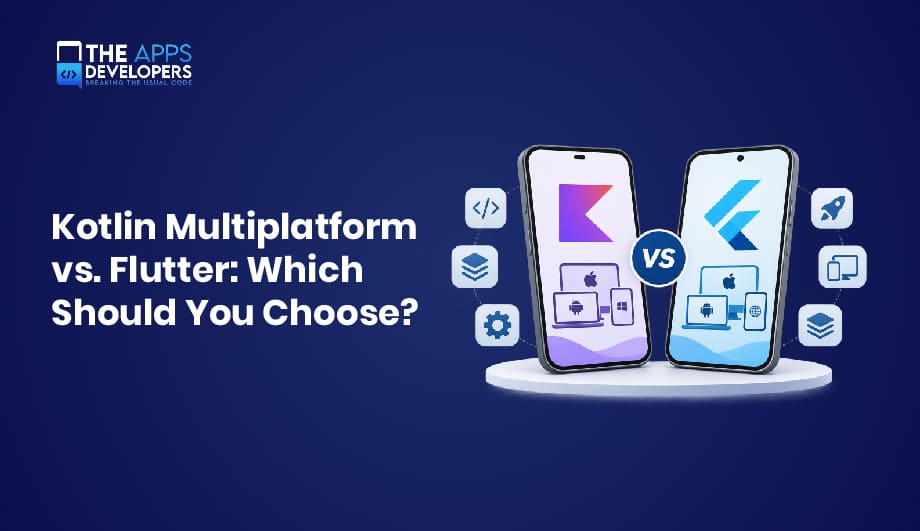
Choosing between Kotlin Multiplatform vs Flutter is one of the most consequential decisions a product team makes early in a project. Both let businesses reach Android and iOS users without maintaining two fully separate codebases, but they get there in very different ways.
Flutter, backed by Google, shares nearly the entire app, including the interface. Kotlin Multiplatform, developed by JetBrains, shares business logic and lets teams decide how much UI to share. That difference shapes performance, cost, development speed, long-term maintenance, and scalability. If you are planning a new product or evaluating mobile app development partners, this guide explains where each framework fits and how to choose with confidence.
What Is Kotlin Multiplatform (KMP)?
Kotlin Multiplatform (KMP) is a JetBrains technology for sharing Kotlin code across Android, iOS, desktop, and web. Google officially supports it for sharing business logic between Android and iOS.
How it works: Shared code, such as networking, data storage, and business rules, lives in a common module. It compiles to JVM bytecode for Android, while Kotlin/Native produces a native framework for iOS projects in Xcode. Developers add platform-specific code wherever native APIs are needed.
Key benefits: Adoption is incremental, native UI stays intact, and Android teams keep using Kotlin and Android Studio.
Limitations: iOS tooling and library coverage are less mature than Android’s, and native UI work still requires Swift expertise.
What Is Flutter?
Flutter is Google’s open-source UI toolkit for building apps from one codebase using the Dart language.
How it works: Instead of using native UI components, the Flutter engine draws every pixel itself, using the Impeller renderer on iOS and modern Android devices. Release builds compile Dart ahead of time to native machine code, and plugins or platform channels connect to device features.
Key benefits: One codebase covers UI and logic, hot reload speeds iteration, and a large package ecosystem covers common needs.
Limitations: Dart is rarely used outside Flutter, existing native code is harder to reuse, and brand-new OS features may need custom native work.
Kotlin Multiplatform vs. Flutter: Key Differences
Here is how the two compare at a glance.
| Factor | Kotlin Multiplatform | Flutter |
| Programming language | Kotlin | Dart |
| Code sharing and architecture | Shared business logic; UI optionally shared via Compose Multiplatform | Shared UI and logic in one codebase |
| UI development approach | Native UI (Jetpack Compose, SwiftUI) or Compose Multiplatform | Flutter widgets rendered by its own engine |
| Native platform integration | Direct access to platform APIs | Plugins and platform channels |
| Development speed | Faster with shared UI; slower with two native UIs | Fast for new apps, aided by hot reload |
| Performance | Native UI performance; depends on implementation | Consistent rendering; depends on implementation |
| Ecosystem and community | Growing, backed by JetBrains and Google | Large and mature, backed by Google |
| Long-term maintenance | Shared logic; native layers maintained separately | Single codebase; plugin dependencies need monitoring |
Kotlin Multiplatform vs. Flutter: Which Performs Better?
App Speed and Responsiveness
Both frameworks compile to native code and can deliver smooth frame rates. Flutter’s own rendering pipeline gives predictable results across devices, while KMP apps with native UI render exactly like native apps. In practice, architecture, state management, and optimization influence speed more than the framework choice.
Memory Usage and Resource Efficiency
Flutter apps bundle the Flutter engine, which adds to app size and baseline memory consumption. KMP with native UI adds only a shared library, though Compose Multiplatform on iOS bundles its own rendering layer. Startup time and memory vary by app, so profile real builds instead of trusting generalizations.
Native Features and Platform Integration
KMP has a structural edge here. Shared Kotlin code calls Android APIs directly and interoperates with Apple frameworks through Kotlin/Native, so no bridge is needed. Flutter reaches native APIs through plugins or platform channels, which work well but add a layer to build and maintain.
Kotlin Multiplatform vs. Flutter: Development Cost Comparison
Initial Development Time and Cost
For a brand-new app, Flutter often needs less upfront effort because one team builds UI and logic once. KMP with separate native UIs usually extends the development timeline, though Compose Multiplatform narrows that gap. Scope, design complexity, and integrations still drive cost more than the framework.
Team Skills and Resource Requirements
Flutter requires Dart developers, and Flutter talent is widely available. KMP fits naturally with Android teams that already know Kotlin, while iOS work still benefits from Swift and Xcode experience. Your current team’s skills often shape total cost more than any framework feature.
Long-Term Maintenance Costs
Flutter centralizes maintenance in one codebase, but SDK upgrades and third-party plugins need ongoing attention. KMP keeps native layers aligned with each platform’s releases, while shared logic prevents duplicate bug fixes. Either way, clean application architecture is what controls technical debt and total cost of ownership.
Which Framework Offers Better UI/UX Development?
Native UI flexibility with Kotlin Multiplatform. KMP shares logic by default, not screens. Android interfaces typically use Jetpack Compose, and iOS uses SwiftUI or UIKit, giving each platform authentic behavior at the cost of building UI twice. Teams modernizing Android UI may also be weighing Jetpack Compose vs XML, a choice that affects how easily screens can later move to shared UI.
Consistent cross-platform interfaces with Flutter. Flutter renders identical widgets everywhere, which suits brand-driven, custom designs. Material and Cupertino widgets help, but fully native platform behavior takes deliberate effort.
Shared UI with Compose Multiplatform. Compose Multiplatform is a separate JetBrains framework, built on KMP, that brings Jetpack Compose’s declarative UI to iOS, desktop, and web. JetBrains declared its iOS support stable with the 1.8.0 release. Teams can share entire screens, mix shared and native screens, or keep all UI native.
When Should Businesses Choose Kotlin Multiplatform?
Kotlin Multiplatform is a strong fit when:
- You’re extending an existing Android app to iOS. Kotlin code from your Android app development work can move into shared modules gradually, reducing duplicated iOS app development effort for core logic.
- Your app depends on extensive native integrations, such as Bluetooth, health data, payment SDKs, or background processing.
- You want shared business logic with native UI to deliver platform-specific experiences without duplicating core rules.
When Should Businesses Choose Flutter?
Flutter is often the better choice when:
- You’re building Android and iOS apps from scratch with no existing native codebase to preserve.
- You’re a startup developing an MVP and need one team to validate an idea and reach the market efficiently.
- Your product requires a consistent UI across platforms, especially custom, brand-heavy designs that Flutter app development handles well.
Can You Migrate From Flutter to Kotlin Multiplatform?
Yes, but there is no automatic conversion. Dart and Kotlin are different languages, so migrating generally means rewriting business logic in Kotlin and rebuilding the UI with native toolkits or Compose Multiplatform.
The main challenges are rewriting tested logic, replacing Flutter plugins, retraining or adding staff, and running two stacks during the transition. A phased approach, moving one feature or module at a time, reduces risk but extends the timeline.
Migration makes business sense when native integration limits, platform-specific UX demands, or team strategy create recurring costs that outweigh the rewrite. If the current app performs well and meets user needs, staying put is often the smarter investment.
Kotlin Multiplatform vs. Flutter: Which Is Better for Your Business?
- Startups and MVP development: Flutter is usually the pragmatic pick for a fast, single-team launch. Choose KMP if your founding team is already Kotlin-heavy.
- Enterprise mobile applications: KMP suits enterprises with established native apps, complex security or device integrations, and dedicated platform teams. Flutter works well for internal tools and app portfolios that need uniform design.
- Existing app modernization: With a native Android app, KMP lets you modernize incrementally without a full rewrite. For aging apps that need a complete rebuild, both are viable.
- Long-term scalability and maintenance: Both scale well with solid architecture. Favor the framework your team can staff and maintain for years, not just the one that ships fastest.
Final Thoughts
Flutter shares nearly everything, including UI, through its own rendering engine. Kotlin Multiplatform shares logic and lets you choose between native UI and Compose Multiplatform. Neither is universally better; the right framework depends on your project requirements, existing technology, budget, team expertise, and long-term product goals.
At The Apps Developers, we help businesses plan, build, and modernize mobile products, including cross-platform app development. If you’re weighing these options, a short technical consultation can clarify which path fits your roadmap.
Table of Contents

Taha Mirza
Taha Hissam Mirza is a technology writer at The Apps Developers, covering mobile app development, web development, software engineering, and emerging technologies. He explores industry trends, development strategies, and practical solutions that help businesses make informed technology decisions. Through research-driven insights and easy-to-understand articles, Taha simplifies complex technical concepts and helps startups, entrepreneurs, and enterprises understand how to build scalable, secure, and user-friendly digital products.