
- Home
- App Development
- Blog Details
- 12 mins read
Flutter vs Kotlin For Android App Development: Which Is Better In 2026?
- Published on:
- Written by:
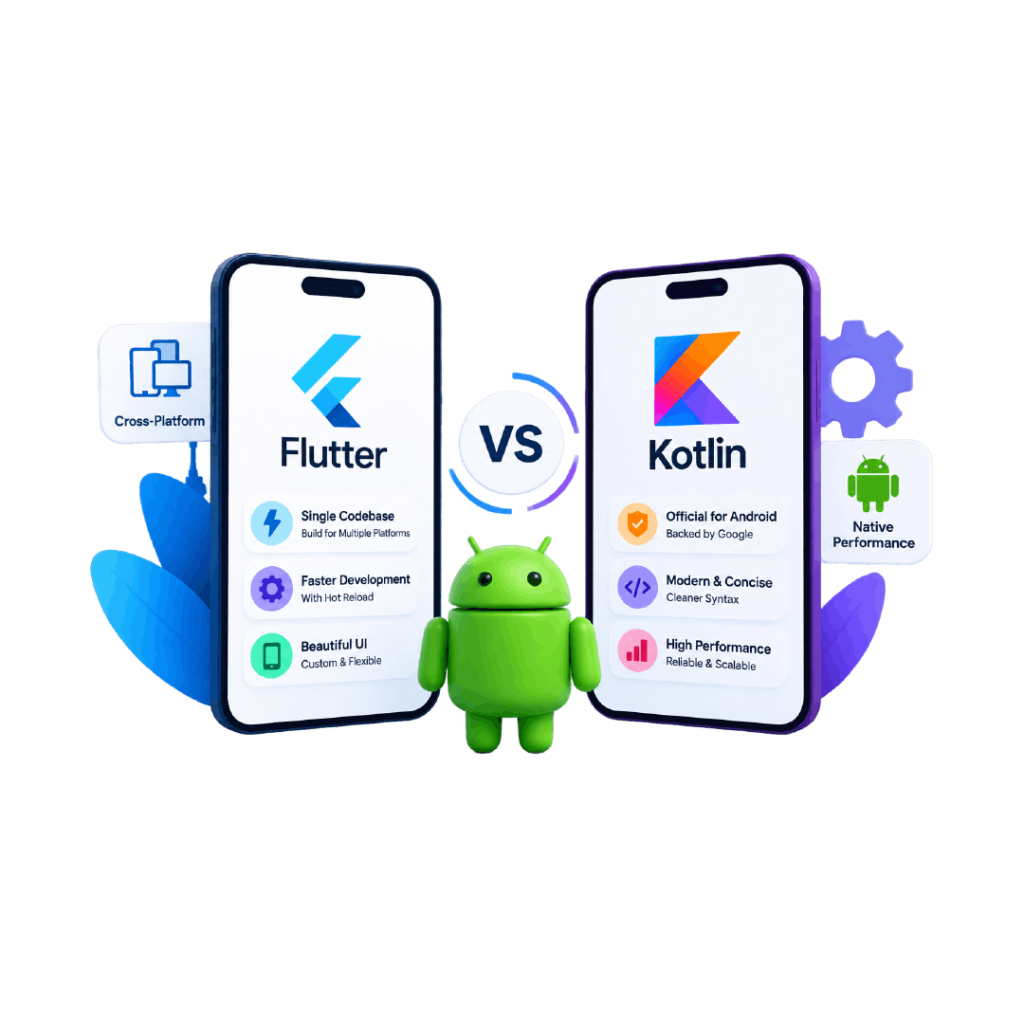
For an Android-only application, Kotlin is generally the stronger choice for Android App Development because it works directly with the native Android ecosystem and Jetpack Compose. Flutter is usually the better choice when the product needs Android and iOS from a shared codebase, offering consistent UI and shared development effort. The right choice depends on the product requirements, not simply on which technology is newer.
The key distinction is that Kotlin is a programming language, while Flutter is a cross-platform application framework that uses Dart. So, the decision is essentially between native Android App Development with Kotlin and cross-platform Android App Development with Flutter.
What Is The Difference Between Flutter And Kotlin For Android Development?
Flutter is a cross-platform framework for building applications from a shared codebase, while Kotlin is a programming language used for native Android development. Flutter uses Dart and can target Android, iOS, web, desktop, and other supported platforms. Kotlin works directly within the Android development ecosystem.
Flutter Is A Cross-Platform App Development Framework
Flutter provides its own framework, widgets, rendering system, and development tools. Its main advantage is code sharing. A team can build Android and iOS applications from a common codebase rather than maintaining two completely separate application implementations.
Flutter can also integrate with platform-specific functionality through plugins or native code when an application needs capabilities that are not directly provided by Flutter.
Kotlin Is A Programming Language For Native Android Development
Kotlin is the primary language used for modern native Android development. It works closely with Android’s libraries and tools, including Jetpack Compose, Google’s modern toolkit for building Android user interfaces. Jetpack Compose itself is built around Kotlin.
Native Kotlin development therefore gives a team direct access to Android APIs and platform capabilities without introducing a cross-platform abstraction layer for the core application.
Why They Are Not Direct Equivalents
The practical decision is not simply Flutter vs Kotlin. It is:
Do you want a native Android application built with Kotlin, or a cross-platform application built with Flutter that also targets Android?
That distinction affects architecture, team structure, platform coverage, integrations, UI development, and long-term maintenance.
Flutter Vs Kotlin For Android App Development: Quick Comparison
Factor | Flutter | Kotlin |
Technology type | Cross-platform framework | Programming language |
Primary language | Dart | Kotlin |
Android approach | Shared Flutter codebase | Native Android |
iOS support | Yes | Requires separate iOS technology |
Android API access | Through plugins/native integration | Direct |
Code sharing | High across platforms | Primarily Android |
UI approach | Flutter widgets | Jetpack Compose or Android Views |
Best fit | Android + iOS products | Android-first products |
Platform-specific development | Possible through native integration | Native by default |
How Does Flutter Compare With Kotlin For Android Development?
The difference becomes clearer when you compare how each technology affects development speed, UI implementation, platform access, and application maintenance.
Development Speed
Flutter can reduce development effort when the same features need to be delivered across Android and iOS because much of the application logic and UI can be shared.
Kotlin does not provide that same cross-platform advantage when used for native Android development. However, for an Android-only product, Kotlin avoids building and maintaining a cross-platform layer that the project does not need.
So Flutter’s development-speed advantage is strongest when multiple platforms are part of the scope.
Code Reuse
Flutter’s central advantage is a shared codebase. Developers can implement common application logic and UI once and deploy it across supported platforms.
With native Kotlin development, Android code is written specifically for Android. If the business later builds a native iOS application, that application normally requires its own technology stack.
This makes Flutter attractive when reducing duplicated development work is a priority.
Native Android Access
Kotlin has the advantage when an application depends heavily on Android-specific APIs or platform behavior.
Flutter can still access native Android functionality. Its documentation specifically supports platform integration and allows developers to use plugins or write platform-specific code when required.
The difference is that native Android capabilities are the foundation of Kotlin development, whereas Flutter accesses some platform functionality through an additional integration layer.
User Interface Development
Flutter uses its own widget system and rendering approach, giving developers substantial control over the appearance of the application.
Kotlin works naturally with Jetpack Compose, which allows developers to describe Android interfaces using Kotlin code. Compose is Google’s modern Android UI toolkit and provides components for layouts, Material Design, animation, state, and other UI requirements.
For an Android-first product that needs close alignment with Android’s UI ecosystem, Kotlin and Compose provide a direct platform approach.
Flutter Vs Kotlin Performance: Which Is Better?
Neither technology should be selected solely on a general claim that one is “faster.” Application performance depends on architecture, rendering, memory usage, network operations, database design, API performance, device capabilities, and how the application is implemented.
Flutter compiles applications to native machine code for supported targets and provides a rendering engine designed for cross-platform experiences.
Kotlin applications use Android’s native development stack and can work directly with Android’s platform APIs and frameworks.
For an application with standard business workflows, ecommerce features, forms, dashboards, authentication, APIs, and similar functionality, both approaches can provide suitable performance when properly engineered.
For highly Android-specific workloads, Kotlin has a simpler path to native platform optimization.
Which Is Better For Android UI Development?
Flutter and Kotlin both support modern UI development, but they take different approaches.
Flutter Widgets And Custom Interfaces
Flutter provides a widget-based UI system designed for cross-platform applications. Its rendering approach gives developers considerable control over visual consistency across Android and iOS.
This can be valuable for products where the same visual experience needs to be maintained across multiple platforms.
Kotlin And Jetpack Compose
Jetpack Compose allows Android developers to create UI directly with Kotlin. It is integrated into the Android ecosystem and supports Android-specific UI behavior and components.
For an Android-only application, this gives the development team a direct route to native Android UI.
Platform-Specific User Experiences
Choose Kotlin when the interface needs to follow Android-specific behavior closely.
Choosing Flutter when maintaining a consistent design across Android and iOS is more important than using separate platform-specific UI implementations.
Which Is Better For Android Features And Device Integrations?
Kotlin is generally the stronger option when an application depends heavily on Android-specific hardware, APIs, or system behavior.
Camera And Bluetooth
Both technologies can support camera and Bluetooth functionality. Flutter commonly relies on plugins or native integration, while Kotlin can work directly with Android APIs.
Location And Sensors
Flutter can access device capabilities through supported plugins and platform integration. Kotlin provides direct access to Android’s location and sensor APIs.
Background Processing
Background tasks are another area where platform-specific requirements matter. If the application depends heavily on Android’s background execution behavior, Kotlin provides direct access to the platform’s native mechanisms.
Flutter does not prevent these integrations. Its documentation supports adding platform-specific code when the framework or available plugins do not provide the required functionality.
Which Is Better For Building Android And iOS Apps?
Flutter has the clearer advantage when Android and iOS are both required as part of the initial product.
A shared Flutter codebase allows teams to develop common functionality once and deploy it across both platforms. Flutter specifically positions this shared-code approach as a way to develop Android and iOS applications together.
Kotlin is a strong choice when Android is the primary platform and the product does not require a shared Android and iOS implementation.
The decision therefore depends on whether platform coverage or native Android depth is the stronger requirement.
Flutter Vs Kotlin: Which Is More Cost-Effective?
Neither technology is automatically cheaper. Total Mobile App Development cost depends on the application’s features, platforms, integrations, backend, design, testing requirements, team expertise, and maintenance needs.
Flutter can reduce duplicated development effort when Android and iOS applications share substantial functionality. A single codebase can also simplify some maintenance work.
Kotlin can be more cost-effective for an Android-only application because the team is building directly for the platform rather than maintaining a cross-platform solution that is not required.
The better question is:
Which technology reduces the total development and maintenance effort for this particular product?
When Should You Choose Flutter For Android App Development?
Flutter is a strong choice when:
- You need Android and iOS applications
- A shared codebase is important
- The product has substantial cross-platform functionality
- Consistent UI across platforms is a priority
- Faster multi-platform delivery matters
- The application does not depend heavily on Android-only functionality
Flutter can also be integrated into an existing Android application incrementally rather than requiring the entire application to be rewritten. Flutter’s official add-to-app capability supports integration with existing Android applications, including Java and Kotlin host applications.
When Should You Choose Kotlin For Android App Development?
Kotlin is generally the better choice when:
- Android is the only target platform
- Android-specific functionality is central to the product
- The application needs direct access to Android APIs
- Native Android UI behavior is important
- The product will remain primarily Android-focused
- The team already has strong Kotlin and Android expertise
Kotlin also aligns directly with Jetpack Compose, Google’s modern Android UI toolkit.
Can Flutter And Kotlin Be Used Together?
Yes. Flutter and Kotlin can coexist in the same Android application.
Flutter supports adding Flutter modules to existing Android applications, and its official documentation supports Java and Kotlin host applications. Developers can therefore use Flutter for selected screens or application areas while retaining native Kotlin code for platform-specific functionality.
This approach can be useful when an existing native Android application needs to introduce cross-platform functionality gradually.
It also means the decision does not always have to be completely binary.
Final Recommendation
Choose Kotlin for Android App Development when Android is the primary platform and the application depends on native Android capabilities, platform-specific behavior, or close integration with the Android ecosystem.
Choose Flutter when Android is one part of a broader product that also requires iOS and a shared development approach.
For businesses evaluating these options, the technology should follow the product requirements. Our mobile app development services can support either approach depending on the application’s platform, functionality, and technical requirements.
Frequently Asked Questions
Is Flutter Better Than Kotlin For Android Development?
Flutter is better when the application needs Android and iOS from a shared codebase. Kotlin is generally better when the application is Android-only or depends heavily on native Android capabilities.
Is Kotlin Faster Than Flutter?
There is no universal performance winner. Both can deliver performant applications when properly engineered. The architecture, APIs, rendering, memory management, and application implementation have a greater impact on real-world performance.
Can Flutter Replace Kotlin For Android Apps?
Flutter can build Android applications without Kotlin being the primary application language, but it does not replace Kotlin for native Android development. Flutter can also use Kotlin for platform-specific Android integrations when required.
Is Flutter Cheaper Than Native Kotlin Development?
Not necessarily. Flutter can reduce duplicated development work for Android and iOS products, while Kotlin can be more efficient for Android-only applications. Total cost depends on scope, team, integrations, and maintenance requirements.