
- Home
- App Development
- Blog Details
- 12 mins read
Automated Risk Registers in Mobile App Development: Tools Showdown (2026)
- Published on:
- Written by:
- Share:
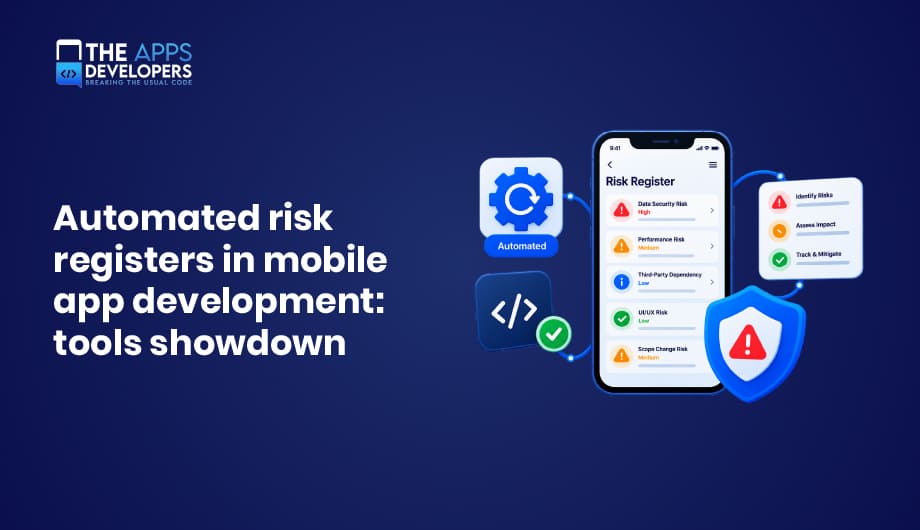
An automated risk register for mobile app development is a living list of risks, such as security flaws, store policy changes, SDK issues, and stability problems, that updates itself from your CI/CD pipeline, scanners, and app store data instead of a spreadsheet. The best setup in 2026 combines a system of record like Jira, Vanta, or Drata with automated feeds from code scanners, mobile security testing tools, and crash monitoring, so every risk has an owner, a score, and live evidence.
Most mobile teams have a risk register somewhere. Usually it’s a spreadsheet created at kickoff, updated before an audit, and forgotten in between. Meanwhile, the app changes every week. A new analytics SDK gets added, Google raises the target API level, a payment library ships a vulnerable version, and a crash spike quietly pushes your app toward Google Play’s bad behavior thresholds. None of it shows up in the spreadsheet until it’s already a problem.
That’s why more teams are automating their risk registers. In this tools showdown, we’ll explain what a mobile app risk register should track, compare the main tool categories side by side, share a ready-to-use template, and show how to connect everything to your pipeline. It’s the same approach we use to keep releases predictable in mobile app development projects.
What Is a Risk Register in Mobile App Development?
A risk register is a structured record of everything that could threaten a project or product, including each risk’s likelihood, impact, owner, response plan, and current status. In mobile development, that means risks like insecure data storage, store rejections, deprecated SDKs, expiring certificates, crash rates, and third-party outages.
A traditional register is static. An automated register pulls signals from the tools you already use, opens and updates risk entries automatically, links each one to evidence like a scan result or pull request, and closes it when the fix ships.
Why Spreadsheet Risk Registers Fail Mobile Teams
Spreadsheets aren’t the villain. They’re just too slow for how mobile apps change.
- They go stale after the next commit. A risk marked “fixed” can quietly come back in the next release.
- They hide the evidence. “High: insecure storage” doesn’t show the scan, ticket, or test that proves it’s resolved.
- They miss outside changes. App store rules, SDK updates, and platform deadlines change without anyone editing the sheet.
- They make audits painful. Teams scramble to collect screenshots and links the week before a review.
Mobile-Specific Risks Your Register Should Track
General software risk registers miss many of the issues that actually stop mobile releases. Here’s what a mobile risk register should cover.
| Risk Category | Example Risks | Where the Signal Comes From |
| Security | Hard-coded API keys, insecure storage, weak TLS, exposed logs | Code scanners, mobile security testing tools |
| Third-party SDKs | Vulnerable library versions, SDKs collecting undisclosed data | Dependency scanners, privacy analysis |
| App store compliance | Missing privacy disclosures, outdated target API, missing account deletion | Store policy tracking, pre-submission checks |
| Platform deadlines | New SDK or build tool requirements | Apple and Google developer announcements |
| Stability and performance | Rising crash or ANR rates | Crashlytics, Sentry, Android vitals |
| Backend and API | Slow or failing endpoints the app depends on | Monitoring and observability tools |
| Operational | Expiring signing certificates, push notification keys, or domains | Certificate and key expiry tracking |
| Data privacy | Collecting more data than declared, weak consent flows | Privacy reviews, data flow mapping |
| Delivery | Key-person dependencies, unrealistic release dates | Project tools and sprint data |
Store and Platform Deadlines to Watch in 2026
Two deadlines show why “store policy radar” belongs in your register. Since April 28, 2026, Apple requires apps uploaded to App Store Connect to be built with Xcode 26 and the iOS 26 SDK, as listed on Apple’s upcoming requirements page.
On the Android side, new apps and updates on Google Play must target Android 16 (API level 36) since August 31, 2026, according to Google’s target API level requirements. Each of these deadlines should appear in your register months ahead, with an owner and a plan.
The 4 Layers of an Automated Mobile Risk Register
No single tool does everything well. The most effective setups combine four layers, each feeding the register automatically.
| Layer | Purpose | When It Runs |
| 1. System of record | Stores every risk with owner, score, status, and evidence | Always |
| 2. Code and dependency scanning | Catches risky code and vulnerable libraries in pull requests | Every pull request |
| 3. Mobile app security testing | Analyzes the built app (APK or IPA) for mobile-specific flaws | Before each release, or nightly |
| 4. Runtime monitoring | Tracks crashes, performance, and backend health in production | Continuously |
A fifth, optional layer, threat modeling, helps you spot design-level risks before any code exists.
Tools Showdown: Comparing the Main Options
The table below compares widely used tools by the layer they serve. Pricing and features change often, so check each vendor’s current plans before deciding.
| Tool | Layer | Best For | Open Source or Free Option | Mobile Focus |
| Jira (with automation rules) | System of record | Teams already tracking work in Jira | Free plan for small teams | General, works with any feed |
| Vanta | System of record and compliance | SOC 2 and ISO 27001 readiness with automated evidence | No | General, connects to code and cloud |
| Drata | System of record and compliance | Continuous compliance monitoring and risk management | No | General, connects to code and cloud |
| GitHub Advanced Security (CodeQL) | Code scanning | Teams on GitHub wanting built-in code scanning | Free for public repositories | Supports Kotlin and Swift |
| Semgrep | Code scanning | Fast, customizable rules in pull requests | Open-source engine | Supports mobile languages |
| Snyk | Dependency and code scanning | Finding vulnerable libraries and fixing them | Free tier | Supports Gradle and CocoaPods projects |
| Dependabot | Dependency updates | Automatic alerts and update pull requests | Free on GitHub | Supports ecosystems like Gradle and Swift Package Manager |
| MobSF | Mobile app security testing | Free static and dynamic analysis of APK and IPA files | Open source | Mobile-only |
| Guardsquare AppSweep | Mobile app security testing | Quick, prioritized mobile scans for lean teams | Free tier | Mobile-only |
| NowSecure | Mobile app security testing | Deep testing for high-risk apps in finance, health, and government | No | Mobile-only |
| Ostorlab | Mobile app security testing | Continuous scanning of each release | Free option available | Mobile-focused |
| Firebase Crashlytics | Runtime monitoring | Free crash reporting for Android and iOS | Free | Mobile-first |
| Sentry | Runtime monitoring | Errors and performance across mobile, web, and backend | Free tier, open-source core | Mobile and web |
| OWASP Threat Dragon | Threat modeling | Free threat models during design | Open source | General |
System of Record: Jira vs Vanta vs Drata
Jira is the pragmatic choice for most product teams. Create a “Risk” issue type with fields for likelihood, impact, score, owner, and due date, then use automation rules to open or update risks from scanner webhooks and CI results. It’s flexible and familiar, but you build the logic yourself.
Vanta and Drata are compliance automation platforms with built-in risk management. They connect to code repositories, cloud accounts, and identity tools, collect evidence automatically, and map risks to frameworks like SOC 2 and ISO 27001. They’re the better fit when audits and enterprise sales depend on certifications.
Code and Dependency Scanning: Shift Risks Left
Tools like CodeQL, Semgrep, and Snyk scan every pull request for issues such as hard-coded secrets, injection flaws, and insecure crypto. Dependabot and Snyk watch your Gradle and Swift dependencies and open update pull requests when a vulnerable version appears. The goal is simple: block high-severity risks before they merge, and log anything accepted into the register with a reason and an owner.
Mobile App Security Testing: Test the Real Build
Code scanners can’t see everything that happens in the final app. Mobile security testing tools analyze the compiled APK or IPA for issues like insecure storage, weak network security, risky permissions, and leaky third-party SDKs.
MobSF is the go-to open-source option and runs well inside CI pipelines. Guardsquare AppSweep offers a free tier for quick scans, Ostorlab focuses on continuous testing of each release, and NowSecure provides deep testing for high-stakes apps.
Most results map to the OWASP Mobile Application Security Verification Standard (MASVS), which makes them easy to turn into register entries.
Runtime Monitoring: Risks That Only Show Up in Production
Firebase Crashlytics and Sentry track crashes and performance on real devices. Connect them to your register so a sudden crash spike opens a risk automatically. On Android, it matters even more, because Google Play may reduce the visibility of apps that cross its crash and ANR thresholds. Our guide to common mobile app testing mistakes covers those thresholds and how to stay below them.
Backend problems hurt mobile apps too. Monitoring the APIs your app depends on, and understanding observability vs monitoring, helps you catch those risks early.
Which Stack Fits Your Team?
| Team Type | Recommended Stack |
| Startup or small team on a budget | Jira or Linear for the register, Dependabot, Semgrep or CodeQL, MobSF in CI, Crashlytics |
| Growing SaaS team selling to enterprises | Vanta or Drata as the system of record, Snyk, AppSweep or Ostorlab, Sentry |
| Regulated industry (finance, health, government) | Vanta or Drata, CodeQL or Snyk, NowSecure for deep testing, Sentry, formal threat modeling |
| Agency or multi-app portfolio | Jira with shared risk templates, Snyk, Ostorlab for continuous release scans, Crashlytics per app |
Free Mobile App Risk Register Template
Use these fields as the starting structure for your register, whether it lives in Jira, Vanta, Drata, or another tool.
| Field | Description | Example |
| Risk ID | Unique identifier | MOB-042 |
| Title | Short description | Analytics SDK collects device ID without disclosure |
| Category | Security, compliance, stability, delivery, etc. | Privacy and compliance |
| Platform | iOS, Android, both, or backend | Both |
| Likelihood (1 to 5) | How likely it is to happen | 4 |
| Impact (1 to 5) | How bad it would be | 5 |
| Risk score | Likelihood × impact | 20 (critical) |
| Source | Where the signal came from | Mobile security scan, release 3.8 |
| Owner | Person responsible | Mobile lead |
| Response | Avoid, reduce, transfer, or accept | Reduce: update SDK and privacy disclosures |
| Due date | When it must be resolved | Before next store submission |
| Evidence | Links to scans, pull requests, or tickets | Scan report, PR #418 |
| Status | Open, in progress, accepted, or closed | In progress |
How to Score Mobile Risks
The simplest risk score is likelihood multiplied by impact, each rated from 1 to 5, giving a score from 1 to 25. A common approach treats 15 to 25 as critical, 8 to 14 as high, 4 to 7 as medium, and 1 to 3 as low. Agree on what each number means for your team, such as “impact 5 means store removal, a data breach, or a regulatory report,” so scores stay consistent.
How to Automate Your Mobile Risk Register: Step by Step
Step 1: Choose Your System of Record
Pick one place where every risk lives, such as Jira, Vanta, or Drata. Everything else should feed into it, not compete with it.
Step 2: Define Categories, Fields, and Scoring
Set up the template fields, risk categories, and scoring scale above. Decide which scores block a release and which need sign-off to accept.
Step 3: Connect Code and Dependency Scanners
Add code scanning and dependency checks to every pull request. Configure them to open or update risk entries for high-severity findings automatically.
Step 4: Add Mobile Security Testing to the Pipeline
Run a mobile security scan on every release candidate, or nightly. Map findings to MASVS categories and route new issues into the register.
Step 5: Connect Production Monitoring
Create alerts from crash reporting and backend monitoring that open risks when thresholds are crossed, such as a sudden jump in crash rate after a release.
Step 6: Track Store and Platform Deadlines
Add known Apple and Google deadlines as dated risks with owners, and review developer announcements monthly for new ones.
Step 7: Review, Report, and Improve
Hold a short risk review each sprint, close resolved items with evidence, and track trends like open critical risks, time to fix, and failed store submissions.
Automating these connections is mostly pipeline work. Our DevOps and cloud solutions team builds CI/CD workflows that run scans, gate releases, and update risk registers automatically.
Measuring the ROI of an Automated Risk Register
Vendor ROI studies are often commissioned by the vendors themselves, so it’s better to measure your own results. Track these before and after automation:
- Hours spent on manual risk and audit preparation each month.
- Store rejections and emergency hotfixes per quarter.
- Time to fix critical risks, from detection to release.
- Audit preparation time for SOC 2, ISO 27001, or client security reviews.
A simple formula works: monthly hours saved × loaded hourly rate − monthly tool costs = monthly return. Add the cost of any avoided incident, rejection, or delayed release, and the case usually becomes clear.
Platform-Specific Tips
On Android, watch target API deadlines, permission declarations, the Data safety form, and Android vitals. Our Android App Development team tracks these as standing risks on every project.
On iOS, watch Xcode and SDK requirements, privacy manifests for third-party SDKs, privacy nutrition labels, and in-app account deletion. Our iOS App Development team builds these checks into release planning.
For larger organizations, the register also needs to connect to enterprise security, device management, and compliance programs. Our enterprise mobile app development guide covers how those pieces fit together.
Account security belongs in the register too, since weak session handling is a common mobile finding. Our guide to web app session management explains the safe patterns.
Conclusion
A spreadsheet risk register can’t keep up with weekly releases, changing store rules, and constantly updating SDKs. An automated mobile risk register can. Choose one system of record, feed it from code scanners, mobile security tests, and production monitoring, track platform deadlines as real risks, and review it every sprint. The result is fewer store rejections, faster audits, and releases you can trust.
Want help setting up an automated risk register for your mobile app? Book a free consultation with The Apps Developers, and we’ll design a pipeline that catches risks long before they reach your users or an app reviewer.
Frequently Asked Questions
What is a risk register in mobile app development?
A risk register in mobile app development is a living list of risks, such as security flaws, store policy changes, SDK issues, and crash rates, with each risk’s likelihood, impact, owner, response plan, status, and supporting evidence.
What is an automated risk register?
An automated risk register updates itself from tools like code scanners, mobile security testers, crash monitoring, and CI/CD pipelines, opening, scoring, and closing risks without manual spreadsheet updates.
What is the best risk register software for mobile teams?
There’s no single best tool. Jira works well for most product teams, Vanta and Drata suit teams that need compliance certifications, and they work best when fed by code scanners, mobile security testing tools, and crash monitoring.
What fields should a risk register include?
A risk register should include a risk ID, title, category, likelihood, impact, risk score, source, owner, response plan, due date, evidence links, and status.
How do you calculate a risk score?
The most common method multiplies likelihood by impact, each rated from 1 to 5. Scores from 15 to 25 are usually treated as critical, and lower scores as high, medium, or low.
Are there free tools for mobile app security testing?
Yes. MobSF is a popular open-source tool for analyzing Android and iOS apps, Guardsquare AppSweep offers a free tier, and tools like Dependabot and Firebase Crashlytics are free to use.
What is OWASP MASVS?
OWASP MASVS, the Mobile Application Security Verification Standard, is the industry standard for mobile app security requirements. Many mobile security tools map their findings to MASVS categories.
How often should a mobile risk register be reviewed?
Automated feeds should update the register continuously, and teams should review it at least once per sprint, plus before every release and app store submission.
Table of Contents

Taha Mirza
Taha Hissam Mirza is a technology writer at The Apps Developers, covering mobile app development, web development, software engineering, and emerging technologies. He explores industry trends, development strategies, and practical solutions that help businesses make informed technology decisions. Through research-driven insights and easy-to-understand articles, Taha simplifies complex technical concepts and helps startups, entrepreneurs, and enterprises understand how to build scalable, secure, and user-friendly digital products.