
The most common app store rejection reasons are app crashes and incomplete builds, missing demo account credentials, inaccurate or misleading metadata, privacy and data collection issues, and missing in-app account deletion. Most of these are preventable with a proper pre-submission review, which is exactly why the same handful of mistakes keeps showing up in rejection emails year after year.
Getting rejected isn’t rare, and it isn’t a verdict on your app. According to Apple’s own App Store Transparency Report, roughly half of all guideline-based rejections fall under the Performance category alone, which covers crashes, bugs, and incomplete submissions. That’s not a sign the bar is impossibly high. It’s a sign most teams get tripped up by the same preventable issues.
That’s exactly what our Mobile App Development team catches before a build ever reaches a reviewer.
This guide walks through the rejection reasons that actually matter, how Apple’s and Google Play’s review processes differ, and the specific fixes for each one, so your next submission doesn’t bounce back for something avoidable.
What Is an App Store Rejection?
An app store rejection is a formal decision by Apple’s App Review team or Google Play’s review process that a submitted app does not meet the platform’s guidelines, requiring the developer to fix the issue and resubmit before the app can go live. A rejection isn’t a ban. It’s feedback, and most apps that get rejected once are approved within a few resubmissions once the flagged issue is addressed.
App Store vs Google Play: How Review Processes Differ
Apple and Google Play approach review differently, which means the common rejection reasons differ too. Apple’s own App Store Review Guidelines are the primary source worth reading directly, not just summarized secondhand.
| Factor | Apple App Store | Google Play |
| Review type | Primarily human review for every submission | Mostly automated, with human review for flagged or high-risk apps |
| Typical review time | Often under 24 hours, longer for complex apps | Can range from a few hours to several days |
| Published rejection data | Yes, through an annual Transparency Report | No equivalent public rejection-rate data |
| Most common category | Performance (crashes, incomplete builds, demo accounts) | Policy violations (metadata, Data safety mismatches, permissions) |
| Account deletion requirement | Required since Guideline 5.1.1(v), enforced since June 2022 | Required under Google Play’s User Data policy |
Both platforms reject for similar underlying reasons, broken functionality, misleading listings, and privacy gaps, but Apple’s heavier reliance on human reviewers means issues like a missing demo account or an unclear screenshot get caught more consistently than on Google Play, where automated scanning tends to flag policy and metadata mismatches instead.
Common App Store Rejection Reasons
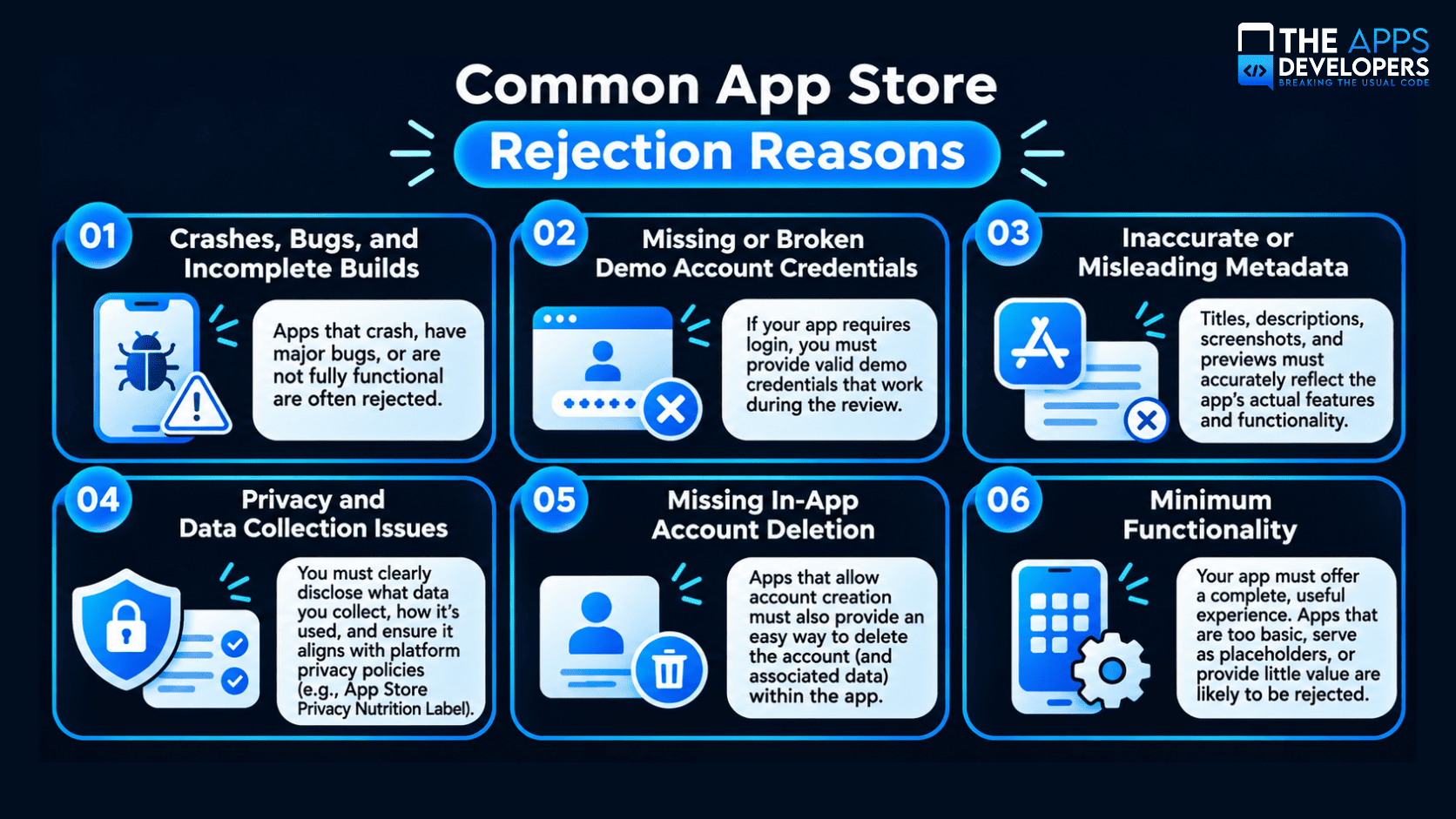
1. Crashes, Bugs, and Incomplete Builds
This is the single largest rejection category on Apple’s platform, covered under Guideline 2.1, App Completeness. A reviewer who hits a crash, a broken button, or a placeholder screen can’t properly evaluate the app, so it gets sent back regardless of how good the rest of the submission looks.
How to avoid it: Test every core flow on a real device, not just a simulator, right before submission. Our DevOps and cloud solutions team builds automated testing into the release pipeline specifically so a broken build never reaches App Review in the first place.
Our guide on mobile app testing mistakes covers the gaps teams miss most often.
2. Missing or Broken Demo Account Credentials
If any part of your app sits behind a login, reviewers need working credentials to get past it. A stale password, an account that’s expired, or a login that silently requires a second factor the reviewer doesn’t have access to all count as the same failure: the reviewer can’t see the app.
How to avoid it: Create a dedicated reviewer account that doesn’t expire, and test those exact credentials yourself immediately before submitting.
3. Inaccurate or Misleading Metadata
Guideline 2.3, Accurate Metadata, covers your app’s name, description, screenshots, and keywords. Screenshots that show features not yet in the build, or a description that oversells what the app actually does, are rejected even when the binary itself works perfectly.
How to avoid it: Make sure every screenshot reflects the current build, and have someone outside the development team read the listing copy against the live app. Thoughtful UI/UX Design work tends to prevent this naturally, since a well-designed app is easier to represent accurately in the first place.
4. Privacy and Data Collection Issues
Guideline 5.1.1 covers whether your app’s actual data practices match what you’ve disclosed, both in your privacy policy and in the App Store’s privacy labels. A mismatch between what the app collects and what’s declared is one of the fastest-growing rejection categories, and it isn’t limited to Apple. If your app has users in the EU, UK, or California, the underlying data practices also need to hold up under GDPR and CCPA compliance requirements, not just app store policy.
How to avoid it: Audit every SDK in your app, including analytics and ad tools, for what data they actually collect, and make sure your privacy labels and policy match that reality exactly.
5. Missing In-App Account Deletion
Since Guideline 5.1.1(v) took effect in June 2022, any app that lets users create an account must also let them delete it from inside the app, not just by emailing support.
How to avoid it: Build account deletion into the settings flow from the start. It’s a small feature to build and a common reason otherwise-solid apps get sent back.
6. Minimum Functionality
Guideline 4.0 covers apps that are little more than a wrapped website or a feature set too thin to justify being a standalone app. This one often requires a genuine product rethink rather than a quick fix.
How to avoid it: Make sure the app offers something a mobile browser can’t, native performance, offline access, device features, or a meaningfully better experience than the web version.
Common Google Play Rejection Reasons
Google Play’s review leans more on automated policy checks, so the common rejection reasons skew toward declarations and permissions rather than human judgment calls.
- Data safety form mismatches, where declared data practices don’t match the app’s actual behavior.
- Sensitive permissions requested without a clear, justified reason.
- Outdated target API level, since Google Play requires new apps and updates to target a current Android version.
- Misleading store listings, including keyword stuffing or screenshots that don’t match the app.
- Broken functionality or a login wall with no way for reviewers to get past it.
Google’s own Data safety section guidance is the clearest primary source for getting that specific form right, since it’s the single most common Google Play mismatch we see.
Our step-by-step guide to publishing an Android app on the Play Store covers these in more depth, including the current testing requirements new developer accounts need to clear before their app can go live.
If you’re launching on both platforms, our guide to publishing an iOS app on the App Store walks through Apple’s side of the process in the same level of detail.
Pre-Submission Checklist to Avoid App Store Rejection
- Every core flow tested on a real device, not just a simulator
- Working, non-expiring demo credentials provided in review notes
- Screenshots and description match the current build exactly
- Privacy labels and privacy policy match actual data collection
- In-app account deletion available if account creation exists
- Target API level current for Android; latest SDK used for iOS
- No placeholder content, dead links, or unfinished features visible
Build It Right the First Time
Most app store rejections trace back to the same handful of preventable issues: a build that wasn’t fully tested, a privacy label that doesn’t match reality, or metadata nobody double-checked against the live app. Catching these before submission is far faster than resubmitting and waiting again.
If you want your next app built with App Review and Google Play’s policies in mind from day one, book a free consultation with The Apps Developers, and we’ll walk through what your specific app needs before it ever reaches a reviewer.
Frequently Asked Questions
What is the most common reason apps get rejected from the App Store?
Crashes, bugs, and incomplete builds, covered under Apple’s Guideline 2.1, are the single largest rejection category, accounting for roughly half of all guideline-based rejections according to Apple’s own Transparency Report.
How long does it take to fix an app store rejection?
Simple issues like metadata or a demo account typically take a day or less to fix and resubmit. Issues requiring code changes, like a crash or missing functionality, usually need a new build and can take several days depending on complexity.
Does Google Play publish rejection statistics like Apple does?
No. Apple publishes an annual App Store Transparency Report with rejection data by category. Google Play does not publish an equivalent public rejection-rate report.
Why do apps get rejected for privacy even with a privacy policy in place?
Rejection usually happens when the privacy policy or app store privacy labels don’t match what the app actually collects, often because a third-party SDK collects more data than the developer realized.
Is app store rejection a sign the app idea is bad?
No. Most rejections are about specific, fixable issues like a crash, a missing demo account, or inaccurate metadata, not a judgment on whether the app itself is viable.
What’s required for in-app account deletion?
Apple’s Guideline 5.1.1(v) requires any app that supports account creation to also let users delete that account from within the app itself, not solely through a support request or external process.