- Home
- App Development
- Blog Details
- 12 mins read
Medication Management App Development: Essential Features, Benefits, and Costs
- Published on:
- Written by:
- Share:
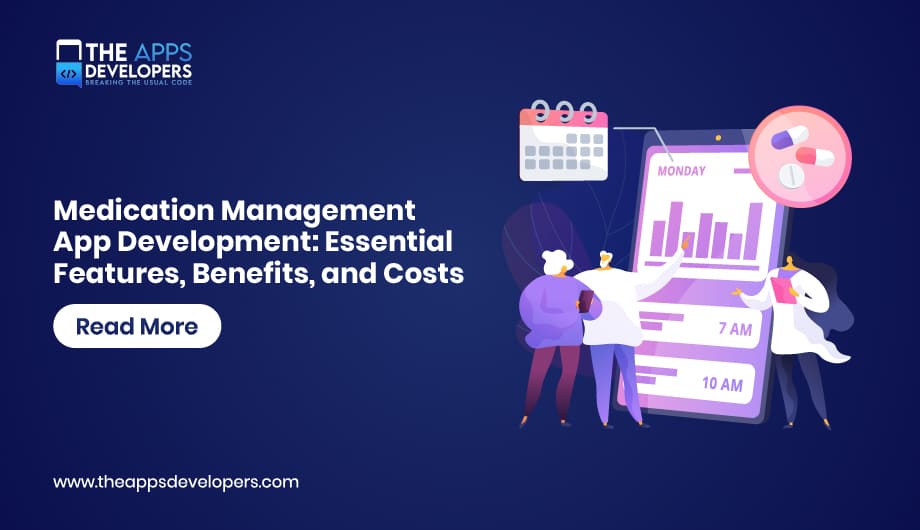
Medication management app development is the process of building a secure mobile app that reminds patients to take medications, tracks doses and refills, shares adherence data with caregivers or clinicians, and connects to pharmacy or EHR systems. A focused reminder app can be built for a modest budget, while a HIPAA-compliant platform with clinical integrations costs significantly more.
Missed doses rarely happen because people do not care. They happen because schedules are complicated, refills run out, and nobody notices until a check-up. A well-designed app fixes the noticing part. Our mobile app development services team builds these apps around that daily reality: quick dose logging, reminders people do not mute, and data that reaches the right person.
This guide covers the features that matter, the compliance rules that shape the build, the integrations behind the screens, and what drives cost.
What Is a Medication Management App?
A medication management app is a mobile application that helps people take the right medication at the right time by combining dose schedules, reminders, intake logging, refill tracking, and safety information, often shared with caregivers or care teams. It differs from a simple alarm because it knows what each dose is and records whether it was taken.
Types of Medication Management Apps
The type you build decides your users, compliance scope, and budget, so settle it first.
- Consumer pill reminder app: Helps individuals manage their medications with schedules, reminders, dose logs, and refill alerts.
- Caregiver and family app: Supports adult children and home caregivers with shared schedules, missed-dose alerts, and multi-patient views.
- Provider-connected medication tracking app: Connects patients, clinics, and care managers through adherence reports, care team dashboards, and EHR data integration.
- Pharmacy app: Helps pharmacy customers manage refill requests, pickup alerts, and pharmacist messaging.
- Clinical trial or care program app: Supports study participants and care teams with protocol-based medication schedules, audit trails, and reporting.
Essential Medication Management App Features
The essential features are flexible scheduling, reliable reminders, one-tap dose logging, refill tracking, a clear medication list, and secure sharing with caregivers or clinicians. Everything else should earn its place.
Pill Reminder App Features for Patients
- Flexible schedules. Real regimens are messy: every 8 hours, alternate days, tapering doses, “as needed” medicines, and cycles such as 21 days on and 7 off. If the app cannot model a schedule, users abandon it.
- Reminders that survive real life. Snooze, travel and time zone handling, and quiet hours. Local notifications should fire even without internet.
- One-tap logging. Mark taken, skipped, or late from the notification itself, with an optional reason for skipping.
- Medication list with photos. Name, strength, form, and a pill photo help people with several look-alike tablets.
- Refill and supply tracking. Count down remaining doses and alert before supply runs out.
- Accessible design. Large text, high contrast, and simple flows matter, since many users are older or managing a condition. Our UI/UX design team tests flows like dose logging with real users before development.
Features for Caregivers
- Shared access to one or several patients’ schedules.
- Escalating alerts when a dose is missed for a set period.
- Simple history views to bring to appointments.
Features for Providers and Admins
- Adherence dashboards across a patient panel, with filters for missed doses.
- Exportable reports for appointments or care programs.
- Secure messaging and role-based access for staff.
Advanced Features Worth Planning For
Drug interaction warnings using licensed clinical databases, barcode scanning of pharmacy labels to add medications, smart pill dispenser or Bluetooth device sync, and symptom or side-effect logging. Add these after the core flow is proven, because each one raises compliance and testing scope.
Benefits of a Medication Adherence App
A medication adherence app helps patients take doses consistently, gives caregivers peace of mind, and gives providers real data between visits instead of guesswork.
- Patients get fewer missed or doubled doses, less mental load, and a record they can show their doctor.
- Caregivers see what happened without daily phone calls, and are alerted only when something is actually missed.
- Clinics and care programs can spot non-adherence early and target outreach to the patients who need it.
- Pharmacies gain timely refill requests and a direct channel to customers.
- Digital health businesses can build recurring revenue through premium caregiver plans or provider licenses.
Compliance and Security for a HIPAA Compliant Medication App
Which rules apply depends on who you are and what the app does. Getting this right early shapes hosting, vendor choice, and features, so treat it as a scoping question, not a launch checklist. This section is general guidance, not legal advice.
HIPAA
HIPAA applies when the app is built for or with a covered entity, such as a provider, health plan, or pharmacy, or a business associate working on their behalf. In that case, the HIPAA Security Rule requires administrative, physical, and technical safeguards for electronic health data, and every vendor that touches that data, including cloud hosting, must sign a business associate agreement.
Consumer Apps Outside HIPAA
A direct-to-consumer app that is not working for a covered entity may fall outside HIPAA, but it is not unregulated. In the United States, the FTC’s Health Breach Notification Rule can apply to health apps, and state privacy laws add their own requirements. Privacy promises in your policy must match what the app actually does with data.
FDA Considerations
Apps that only remind, log, and track usually carry low regulatory risk. Apps that calculate doses, adjust regimens, or recommend treatment can be regulated as medical device software. The FDA’s policy on device software functions and mobile medical applications explains where that line sits.
Security Controls to Build In
- Encryption in transit and at rest, including on the device.
- Strong login with optional biometrics, short-lived tokens, and automatic session timeouts.
- Role-based access for caregivers and staff, plus audit logs of who viewed what.
- No sensitive details in push notification text that appears on a lock screen.
- Minimal data collection, with clear consent for sharing.
Tech Stack and Integrations Behind a Medication Tracking App
The mobile app is the visible part. Accuracy and trust come from the medication data, the backend, and the systems it connects to.
Medication Data
Letting users type drug names freely creates messy, unsafe data. Most serious apps use a standard drug vocabulary such as RxNorm from the National Library of Medicine, which normalizes names, strengths, and dose forms. Interaction checking usually requires a licensed commercial drug database.
Clinical Integrations
Provider-connected apps exchange data with EHRs through HL7 FHIR APIs. The FHIR MedicationRequest resource represents prescriptions, so the app can import a patient’s medication list instead of asking them to rebuild it. Pharmacy integrations for refills vary by partner and often need custom work.
Typical Stack
| Layer | Common Choices |
| Mobile | Swift and Kotlin, or Flutter and React Native for one codebase |
| Backend | Node.js, Python, or Java with Spring Boot |
| Database | PostgreSQL with encryption at rest |
| Notifications | Local scheduled notifications plus push for caregiver alerts |
| Hosting | AWS, Azure, or Google Cloud under a signed BAA |
Cost to Develop a Medication Management App
The cost to develop a medication management app typically ranges from about $30,000 for a focused reminder app to $150,000 or more for a provider-connected, HIPAA-compliant platform. These are typical market estimates for planning, not quotes.
| Scope | What It Includes | Typical Estimate |
| Reminder MVP | Cross-platform app, schedules, reminders, logging, refill alerts | $30,000 to $60,000 |
| Caregiver-ready app | MVP plus caregiver accounts, missed-dose alerts, reports, secure backend | $60,000 to $120,000 |
| Clinical platform | Provider dashboards, FHIR or pharmacy integrations, HIPAA controls, audit logs | $120,000 to $250,000+ |
What Drives the Budget
- Compliance scope. HIPAA safeguards, BAAs, security testing, and documentation add real effort.
- Integrations. EHR, pharmacy, and drug database connections are usually the largest cost driver.
- Schedule complexity. Tapering, cycles, and as-needed doses take more logic and testing than fixed daily times.
- Devices. Smart dispensers and Bluetooth sync add hardware testing.
- Licensed data. Drug interaction databases carry recurring license fees.
- Ongoing costs. Hosting, monitoring, OS updates, and security reviews continue after launch.
How to Build It Without Common Mistakes
- Decide the app type and regulatory scope before design.
- Map real regimens with patients and clinicians, including the awkward ones.
- Prototype dose logging and reminders and test them with older users.
- Build backend, data model, and security first, then the apps.
- Pilot with a small group, measure adherence logging, and fix friction.
The mistakes we see most: reminders that depend on internet access, schedules that cannot handle tapering or cycles, free-text drug entry, and sensitive details shown on lock screens. Automated testing and releases through DevOps and cloud solutions keep updates safe once people rely on the app daily.
Plan Your Medication Management App
Successful medication management app development comes down to reliable reminders, schedules that match real prescriptions, and compliance decisions made before the first line of code. The Apps Developers builds secure healthcare apps for iOS and Android, from UX and backend to integrations and support. Explore our healthcare app development services to see how we approach secure, connected healthcare solutions.
Frequently Asked Questions
Does a medication reminder app need to be HIPAA compliant?
Only if it handles health data for or on behalf of a covered entity such as a provider, health plan, or pharmacy. Consumer apps outside HIPAA may still fall under the FTC Health Breach Notification Rule and state privacy laws.
Is a medication management app regulated by the FDA?
Apps that only remind and track usually carry low regulatory risk. Apps that calculate doses or recommend treatment changes may be regulated as medical device software.
How long does it take to build a medication management app?
A focused MVP often takes around three to four months, while platforms with clinical integrations and compliance work typically take six months or more. These are typical estimates that depend on scope.
Table of Contents

Taha Mirza
Taha Hissam Mirza is a technology writer at The Apps Developers, covering mobile app development, web development, software engineering, and emerging technologies. He explores industry trends, development strategies, and practical solutions that help businesses make informed technology decisions. Through research-driven insights and easy-to-understand articles, Taha simplifies complex technical concepts and helps startups, entrepreneurs, and enterprises understand how to build scalable, secure, and user-friendly digital products.