- Home
- App Development
- Blog Details
- 12 mins read
Super App Development: How One Application Can Replace Multiple Business Tools
- Published on:
- Written by:
- Share:
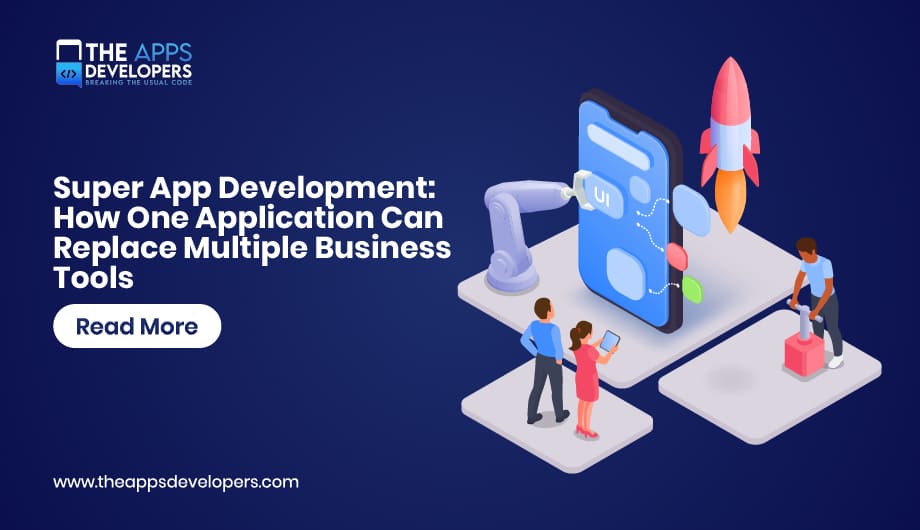
Super app development is the process of building one application that brings several services, such as communication, approvals, expenses, scheduling, and payments, into a single login and shared interface. For businesses, a super app replaces a scattered set of tools with one platform that shares data, identity, and notifications across every module.
Most companies never planned to run fifteen apps. They added one tool per problem, each with its own login and data, and employees now retype the same details across all of them. Our mobile app development services team builds super apps that bring those workflows under one roof, connected to the systems you already use.
What Is a Super App?
A super app is a single mobile application that combines multiple services under one login, one interface, and shared data, so users complete many tasks without switching apps. It usually works as a platform: a core app hosting individual modules or mini apps.
Consumer examples include WeChat, Grab, and Gojek, which grew from one service into payments, delivery, and much more.
What Are Mini Apps?
Mini apps are lightweight services that run inside a super app and reuse its login, payments, and notifications instead of being installed separately. WeChat’s Mini Program framework documentation shows how a host app exposes these shared services. In business super apps, mini apps are usually internal modules such as leave requests or work orders.
Which Business Tools Can a Super App Replace?
A business super app can replace or front-end single-purpose tools for communication, HR self-service, approvals, expenses, tasks, field work, and scheduling. Systems of record such as the ERP, CRM, and payroll stay in place, with the super app acting as their single mobile front door.
| Separate Tool Today | Super App Module |
| Internal chat and announcement apps | Communication and news feed |
| HR portal for leave and payslips | HR self-service |
| Expense and receipt tools | Expense scanning and submission |
| Email-based approvals | Unified approvals inbox |
| Task and field service apps | Tasks, work orders, and checklists |
| Shift and booking tools | Scheduling |
| Separate dashboards | Role-based insights |
Rebuilding an ERP or core banking system inside a mobile app adds risk without improving the experience. The super app should read from and write to those systems through APIs.
Benefits of Super Apps for Businesses
The main benefits of super apps are one login and experience, shared data across services, fewer tools to license and secure, consistent security, and faster rollout of new modules.
- One login, one experience. Frontline staff adopt one app far more readily than five.
- Shared data. Information entered once, such as a completed job, can update schedules, invoices, and manager dashboards automatically.
- Fewer vendors and security reviews. IT manages one platform instead of many separate tools.
- Faster new services. New mini apps reuse login, notifications, and design components.
The trade-offs are a larger upfront design effort, the risk of a cluttered app without clear priorities, and the need for someone to own platform governance and the retirement of old tools.
Core Super App Features
Every super app needs a shared foundation that all modules use, with each module adding its own workflow on top.
- Single sign-on. One account connected to your identity provider through standards such as OpenID Connect. Secure token handling matters here, as our guide on web app session management and secure authentication explains.
- Role-based access. Users see only the modules and data their role allows.
- Personalized home screen with pending actions and shortcuts.
- Unified notification center for alerts from every module.
- Global search across people, documents, and records.
- Shared payments for customer-facing super apps.
- Offline support for field modules.
A super app only feels like one product if every module follows the same components and navigation. A UI/UX design phase that produces a shared design system prevents it from looking like separate apps stitched together.
Super App Architecture: How One App Holds Many Services
Super app architecture is the structure that lets one host application load and run independent modules while sharing identity, data access, navigation, and notifications, usually backed by modular services behind a common API gateway.
-
Host app: Handles login, navigation, notifications, module loading, and the shared user experience. Flutter, React Native, Swift, and Kotlin can be used depending on the project requirements.
-
Mini apps and modules: Deliver individual services such as HR requests, orders, expenses, or field work. They can use native modules or web-based experiences while sharing the host app’s authentication and design system.
-
API gateway: Provides a central entry point between the app and backend services, handling authentication, routing, API versioning, and other controls. AWS API Gateway and Kong are common options.
-
Backend services: Manage the business logic for individual modules, such as expense submissions, approvals, or HR requests. Node.js, Spring Boot, and .NET are common backend technologies.
-
Integration layer: Connects the super app with existing systems such as ERP, CRM, HR, and payroll through REST APIs, message queues, and other integration methods.
Native Modules vs Web-Based Mini Apps
Native or cross-platform modules give the best performance and device access but ship through app updates. Web-based mini apps update without a store release but have less device access, and Apple’s App Review Guidelines set specific rules for mini apps inside a host app. Most business super apps mix both. Our Flutter app development team often uses separate Flutter packages per module so each stays independent while sharing one design system.
Backend and Performance
Each module should own its data behind a clear API, starting as a modular monolith and splitting services as they grow. A dedicated API and backend development team designs the gateway and integration layer, and our comparison of Firebase vs a custom backend explains why super apps with many integrations usually need the custom route. Loading modules on demand keeps startup fast, and most platforms also need a web admin panel.
Super App vs Multiple Separate Apps
A super app is better when the same users need several related services; separate apps are better when audiences, security needs, or products differ sharply.
| Factor | One Super App | Multiple Separate Apps |
| User experience | One login and inbox | Several logins and inboxes |
| Data | Shared across services | Siloed, often re-entered |
| Security | Central identity and audit | Configured per tool |
| Adding a service | New module on the existing platform | New app, vendor, and rollout |
| Upfront cost | Higher | Lower per app |
| Long-term cost | Lower as modules share the platform | Grows with every app and license |
Skip the super app if you have only one or two services, serve very different audiences, or have no one to own platform governance. For customer-facing businesses, the model often grows from one strong service into a multi-sided platform, which raises the same questions covered in our guide on how to build a marketplace app.
How to Build a Super App: Process and Cost Drivers
Build the shared platform and two or three high-value modules first, prove adoption, then add services in planned releases. Launching every module at once is the most common reason super app projects stall.
- Audit current tools to see where users switch apps and duplicate data.
- Choose one audience and the first modules that remove the biggest daily friction.
- Design the platform: identity, permissions, navigation, notifications, and design system.
- Plan integrations with ERP, CRM, HR, and payroll.
- Build, pilot, and measure with one department or customer segment.
- Retire the replaced tools, then add modules with clear ownership.
Large employee rollouts bring identity, device management, and compliance needs that our enterprise app development approach is built around, while DevOps and cloud solutions let module teams release safely.
What Drives Super App Development Cost
Cost depends on the number of modules, integrations (especially with legacy systems), platform foundations, supported platforms, the mix of native and web-based mini apps, compliance, and data migration. The first release costs the most because it includes the shared platform; later modules are usually faster and cheaper to add.
Replace Tool Sprawl With One Well-Built Application
Super app development gives one audience a single, secure front door to the services they use every day. Start with a strong platform and a few high-value modules, retire the tools they replace, and grow from there. The Apps Developers designs and builds super apps for iOS, Android, and web, covering architecture, UI/UX, integrations, and ongoing support. If you’re planning a super app, you can discuss your requirements with our team and determine the right architecture and development approach for your business.
Frequently Asked Questions
Can a super app replace multiple business tools?
Yes. It can replace or front tools for communication, HR, expenses, approvals, tasks, and scheduling, while core systems such as the ERP and payroll stay in place and connect through APIs.
What are examples of super apps?
Consumer examples include WeChat, Grab, Gojek, and Alipay. In business, employee super apps combine communication, HR self-service, approvals, and field work in one company app.
How much does super app development cost?
Cost depends on modules, integrations, platforms, security requirements, and data migration. The first release, including the shared platform, costs the most; later modules are usually faster to add.
Which technology is best for building a super app?
Many super apps use Flutter or React Native for the host app, native code for performance-critical features, an API gateway, and modular backend services in Node.js, Java, or .NET.
Table of Contents

Taha Mirza
Taha Hissam Mirza is a technology writer at The Apps Developers, covering mobile app development, web development, software engineering, and emerging technologies. He explores industry trends, development strategies, and practical solutions that help businesses make informed technology decisions. Through research-driven insights and easy-to-understand articles, Taha simplifies complex technical concepts and helps startups, entrepreneurs, and enterprises understand how to build scalable, secure, and user-friendly digital products.