

Good api design for mobile apps means minimizing payload size, designing for unreliable and intermittent connections rather than assuming a stable one, batching requests to reduce round trips, and versioning in a way that doesn’t break older app installs still sitting on a user’s phone. A mobile client behaves nothing like a browser tab that simply reloads on a bad connection, and an API built without that difference in mind will work fine in a demo and fail constantly in the field.
A lot of API design guidance is written from a web-first perspective, and applied to a mobile client without adjustment, it creates real problems: apps that feel sluggish on cellular connections, sync bugs that corrupt data after a dropped connection, and version mismatches that break the app for anyone who hasn’t updated recently. This guide is written specifically for the mobile case, not a general API guide with “works for mobile too” tacked on at the end.
What Makes Mobile API Design Different From Web API Design?
API design for mobile apps has to account for constraints a typical web client rarely faces: intermittent connectivity, variable network speed, limited battery and data budgets, and app versions that can lag behind the current API for months after a release, since not every user updates immediately. A web app effectively always runs the latest frontend code, refreshed on every page load. A mobile app might be running a version from eight months ago, still expecting the API to behave the way it did back then.
Core Principles of API Design for Mobile Apps
1. Minimize Payload Size
Every byte sent over a cellular connection costs the user data and battery, and adds latency that compounds on a slow connection. Returning only the fields a given mobile screen actually needs, rather than a full object with every field available, has a real, measurable effect on perceived app speed, particularly for list views and feeds where the same over-fetched object gets multiplied across dozens of rows.
2. Design for Unreliable Networks
Offline-First Considerations
A mobile app frequently loses connectivity mid-session, walking into an elevator, entering a subway, moving through an area with poor coverage, and an API contract that assumes every request will complete successfully creates a fragile app the moment that assumption breaks. Designing for offline-first means the API and client together support queuing actions locally and syncing them once connectivity returns, rather than simply failing and losing the user’s work. Android’s own developer guidance on offline-first design is a solid reference point here, even for teams building cross-platform, since the underlying sync and conflict principles carry over regardless of which client framework is in use.
Sync Conflict Resolution
The harder problem offline-first design creates is what happens when the same piece of data gets modified both locally, while offline, and on the server, by another device or user, before the two states get reconciled.
Example: Last-Write-Wins vs. Merge Strategies
A last-write-wins strategy, where the most recent update simply overwrites the earlier one, is simple to implement but can silently discard a user’s offline changes. A proper merge strategy, reconciling both sets of changes where possible, is more work to build but avoids the frustrating experience of a user’s offline edits vanishing the moment their phone reconnects.
3. Batch Requests and Reduce Round Trips
Every network round trip on a mobile connection carries meaningfully more latency than the equivalent request on a stable broadband connection. An endpoint that lets a mobile client fetch several related pieces of data in a single request, rather than firing off five sequential calls, directly improves how fast a screen actually feels to load, which matters more to perceived quality than almost any other single API decision.
4. Versioning Strategy for Mobile Clients
Because a mobile app can’t be force-updated the way a web page refreshes automatically, API versioning has to account for old app versions remaining in active use for a long time after a new version ships. Breaking changes to an endpoint without a clear versioning strategy, whether through URL versioning or header-based versioning, will break the app for every user who hasn’t updated yet, sometimes for months.
5. Authentication Suited for Mobile
Mobile authentication needs to account for app backgrounding, token refresh without interrupting the user mid-session, and secure local storage of credentials on the device itself. A token strategy that works cleanly for a web session, where the browser tab simply closes and reopens fresh, often needs real adjustment for a mobile app that stays installed and expects to remain logged in across app switches and phone restarts.
6. Push Notifications and Real-Time Updates
Mobile users expect timely updates without having to manually refresh a screen, which means the API layer typically needs to support push notification triggers or a real-time channel like websockets, rather than relying purely on the request-response pattern a simple REST API assumes by default.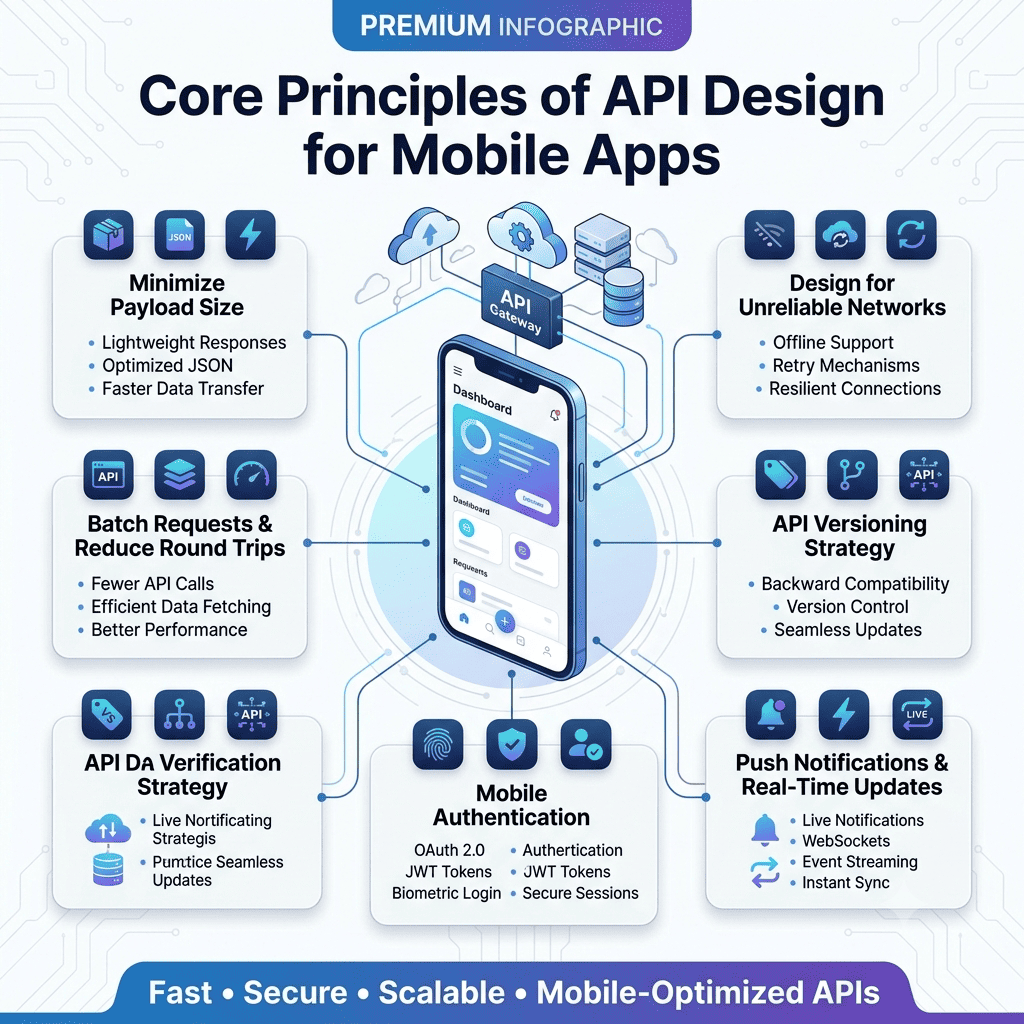
REST vs GraphQL for Mobile APIs
This is a genuinely relevant sub-decision within the broader api design for mobile apps question, and mobile constraints actually shift the calculus compared to a general-purpose API decision.
Factor | REST | GraphQL |
Payload control | Fixed per endpoint, prone to over-fetching | Client specifies exact fields, reduces payload |
Round trips | Often requires multiple sequential calls | Single request can combine multiple data needs |
Offline caching | Simpler with standard HTTP caching | Requires additional client-side tooling |
Implementation complexity | Lower, well-understood by most teams | Higher, but pays off for complex mobile screens |
Best fit for mobile | Simple apps with predictable data needs | Apps with varied screens needing different data shapes |
GraphQL’s ability to let a mobile client request exactly the fields a given screen needs, in a single round trip, is genuinely well-suited to mobile’s payload and latency constraints. That said, REST’s simpler caching story and lower implementation overhead still make it the right default for a lot of mobile apps that don’t have GraphQL’s complexity genuinely justified by varied, nested data needs across many different screens.
Rate Limiting and Error Handling for Mobile Clients
Designing Errors a Mobile App Can Actually Act On
A generic 500 error tells a mobile app nothing useful about what happened or what to do next. Structured error responses, a clear error code, a human-readable message, and where relevant, guidance on whether the client should retry, are what let a mobile app show a meaningful message to the user instead of a blank failure state or an endless spinner.
Retry Logic and Exponential Backoff
Mobile networks fail in ways that are often transient, a few seconds of poor signal, a brief handoff between cell towers, rather than a genuine outage. An API designed with mobile clients in mind should support safe retries for idempotent requests, and the client-side retry logic should use exponential backoff with jitter rather than hammering the server repeatedly the instant a request fails. AWS’s widely referenced engineering writeup on the pattern explains why backoff alone still produces clustered retry spikes, and why adding randomized jitter on top of it is what actually spreads load out during a real recovery.
API Documentation and Testing for Mobile Teams
Mobile and backend teams are frequently different people, sometimes different companies entirely, which makes clear API documentation a genuine product requirement rather than a nice-to-have. Every endpoint’s expected payload, error responses, and versioning behavior needs to be documented in a way a mobile developer can act on without needing to ask the backend team to clarify basic behavior for every screen they build. Contract testing, verifying that the API actually behaves the way its documentation claims before a mobile release ships against it, catches a category of integration bugs that unit tests on either side, mobile or backend, typically miss entirely, since each side is only testing its own assumptions about the other.
Common Mistakes in API Design for Mobile Apps
Teams frequently design an API against a stable office wifi connection during development, then discover real-world cellular performance issues only after launch, when actual users are experiencing dropped connections the development environment never simulated. Over-fetching is just as common in mobile API design as anywhere else, an endpoint returning a full user object when a list screen only needs a name and a thumbnail multiplies that waste across every row in the list. Version-breaking changes shipped without considering the installed base of older app versions is a particularly costly mistake, since it can lock out a meaningful share of users until they update, if they update at all. And a fair number of teams design authentication flows that work fine in testing but fail to handle token refresh gracefully when an app has been backgrounded for hours, forcing an unexpected logout at the worst possible moment.
How The Apps Developers Approaches API Design for Mobile Apps
Every mobile project we build treats the API layer as part of the same Mobile App Development process from day one, rather than a generic backend built separately and adapted for mobile afterward. Payload size, offline behavior, and versioning get scoped alongside the app’s actual screens and user flows before development starts, not discovered as problems once real users are on real networks.
The backend discipline behind that approach is the same one we bring to API and backend development generally, regardless of which client ends up consuming it, a web dashboard, a partner integration, or a mobile app with the specific constraints covered throughout this guide.
If you’re scoping a new mobile app and want the API built to actually hold up on real networks rather than just in a demo, that’s worth discussing early, before the API contract gets locked in around assumptions that only hold true on office wifi. You’re welcome to talk to our team about what a mobile-first API design would look like for your specific app.